Changing VMware Aria Automation Config Passwords using Suite Lifecycle API's

Arun Nukula
3 min read
There are 2 local accounts of VMware Aria Automation Config for which VMware Aria Suite Lifecycle would be able to change passwords
They are
- admin ( root ui account )
- root
Variables used
| {{lcmurl}} | FQDN of Suite Lifecycle |
| {{envid}} | Environment ID where this product resides |
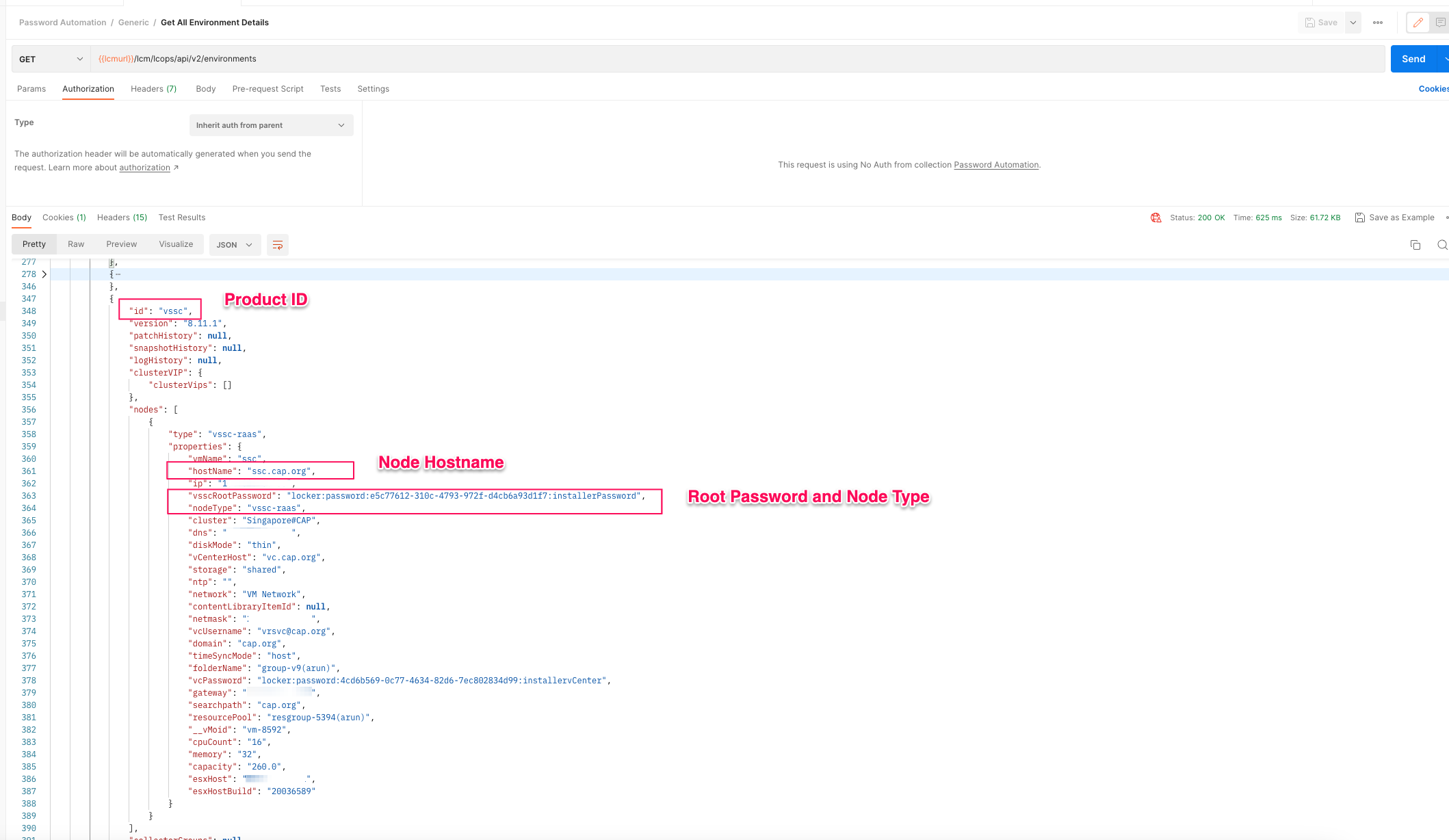
| {{vsscprdid}] | VMware Aria Automation Config Product ID. This is always "vssc" |
| {{vsscnodetype}} | Node Type for VMware Aria Automation Config. This is always vssc-raas for now |
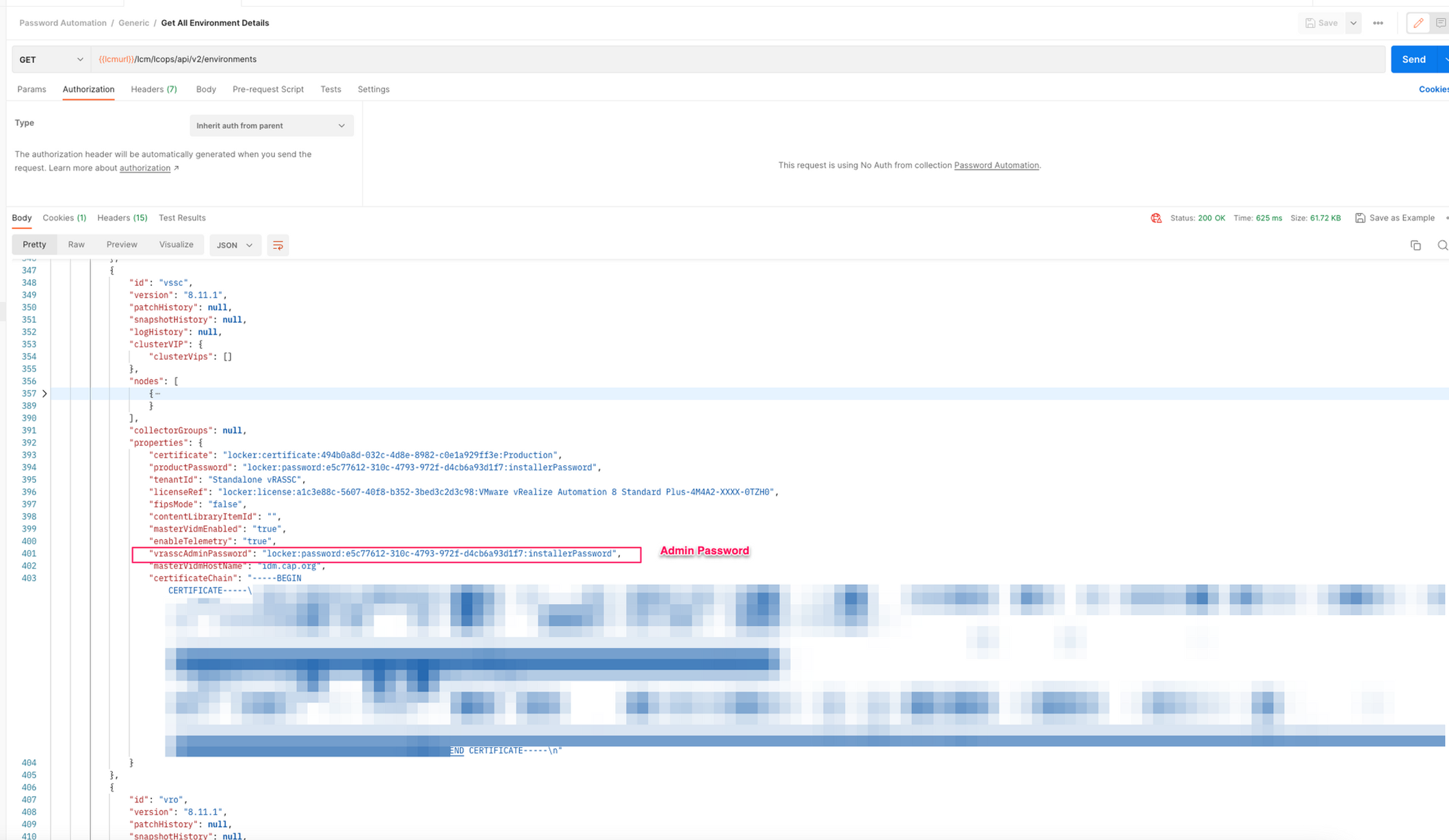
| {{currentpasswordvmid}} | Fetch from the Environment API response. VMID of the password used by the product |
| {{currentpasswordalias}} | Fetch from the Environment API response. Alias of the current password being used by product |
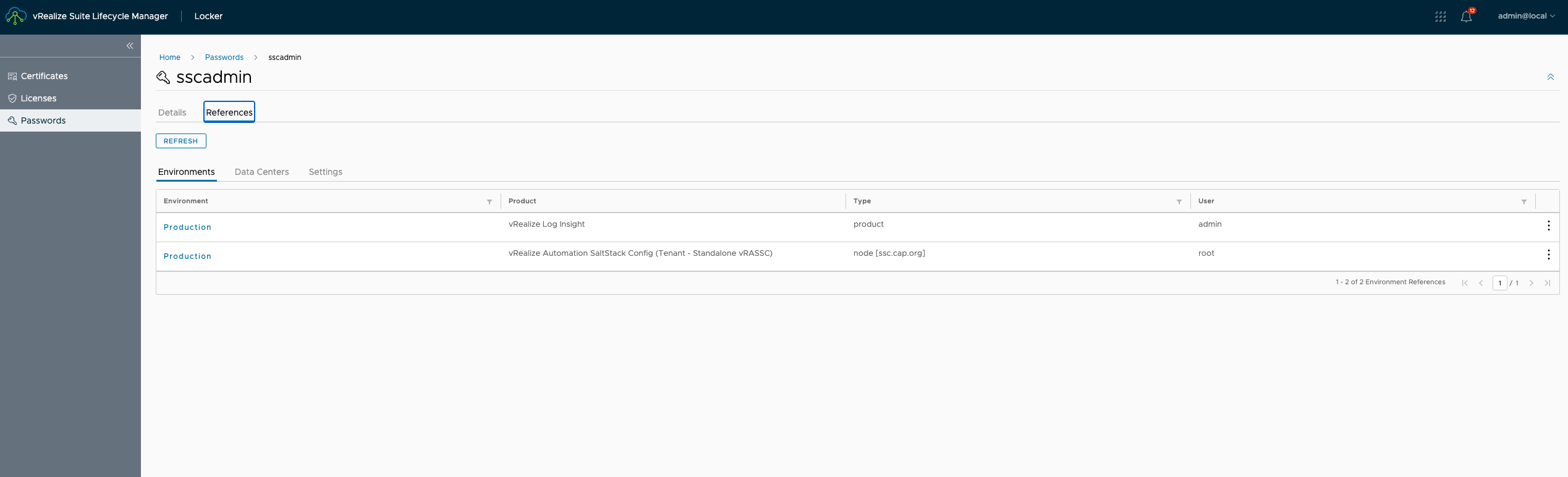
| {{tenantid}} | If it is a vRA Integrated , then the tenant would be vIDM. If it is a standalone one , then it would be Standalone vRSSC as shown below |
Details of API's
admin password
Method: PUT

URL: {{lcmurl}}/lcm/lcops/api/v2/environments/{{envid}}/products/{{vsscprdid}}/admin-password?tenantId=Standalone+vRASSC

Body:

{
"adminPassword": "locker:password:{{newpasswordvmid}}:{{newpasswordalias}}",
"currentAdminPassword": "locker:password:{{currentpasswordvmid}}:{{currentpasswordalias}}"
}

Expected Response Code:
root password
Method: PUT

URL: {{lcmurl}}/lcm/lcops/api/v2/environments/{{envid}}/products/{{vsscprdid}}/nodes/{{vsscnodetype}}?tenantId=Standalone+vRASSC

Body:

{
    "currentPassword": "locker:password:{{currentpasswordvmid}}:{{currentpasswordalias}}",
    "hostName": "{{sschostname}}",
    "newPassword": "locker:password:{{newpasswordvmid}}:{{newpasswordalias}}",
    "userNameToUpdate": "root"
}

Expected Response Code:
Working Example ( admin )
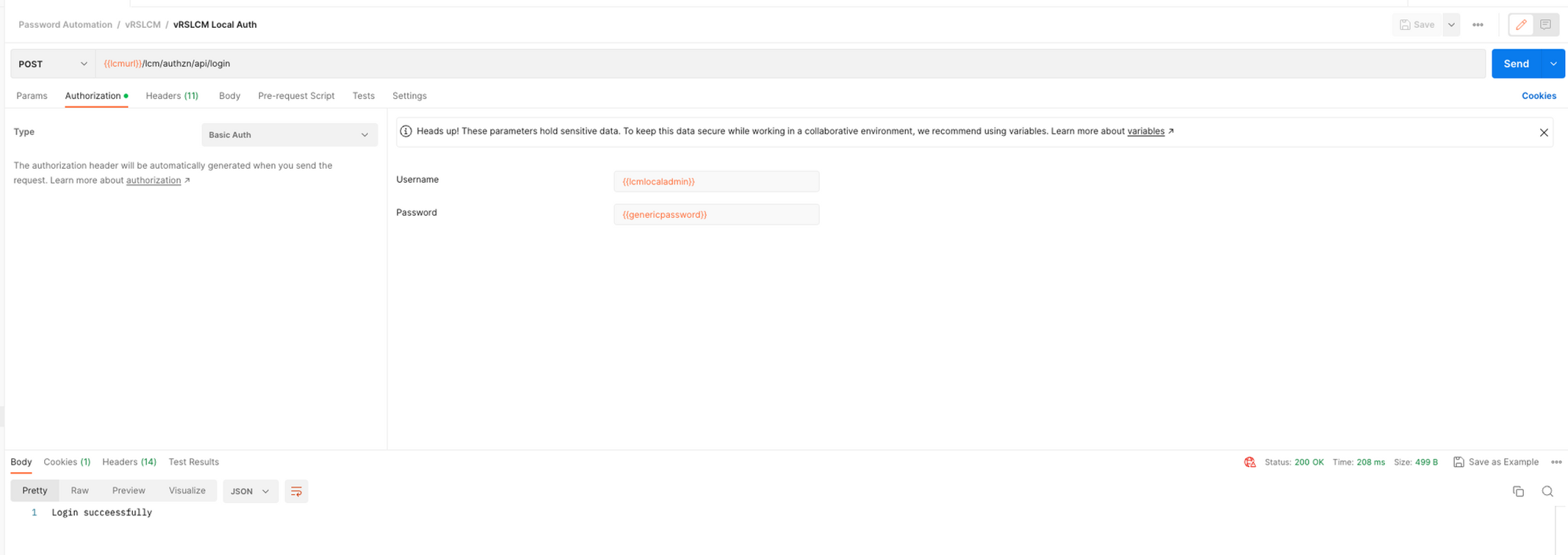
- Login into VMware Aria Suite Lifecycle
Method: POST

URL: {{lcmurl}}/lcm/authzn/api/login

Authentication: Basic Auth admin@local / Password of admin@local

Expected Response Code: 200 OK

Outcome: There's a JSESSIONID generated and added as a cookie
- Fetch existing details of saltstack using API
Method: GET

URL: {{lcmurl}}/lcm/lcops/api/v2/environments

Authentication: Basic Auth admin@local / Password of admin@local

Expected Response Code: 200 OK
- Now, that we have details needed for successful password change , let's create a new password in locker specifically for VMware Aria Automation Config
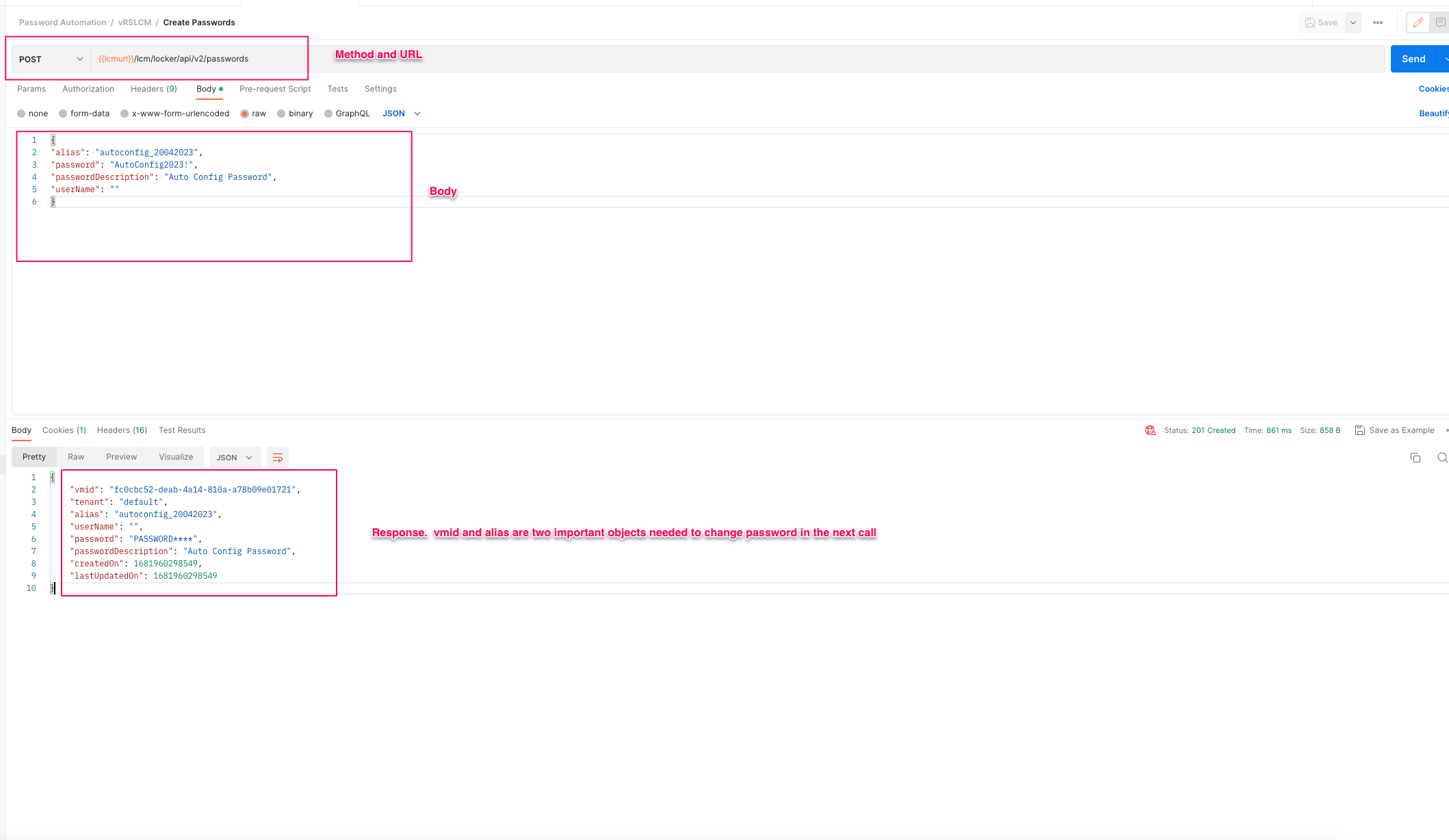
- For creating a new password object using API inside locker , follow below procedure
Method: POST

URL: {{lcmurl}}/lcm/locker/api/v2/passwords

Authentication: Basic Auth admin@local / Password of admin@local

Body:

{
"alias": "autoconfig_20042023",
"password": "AutoConfig2023!",
"passwordDescription": "Auto Config Password",
"userName": ""
}

Expected Response Code: 200 OK
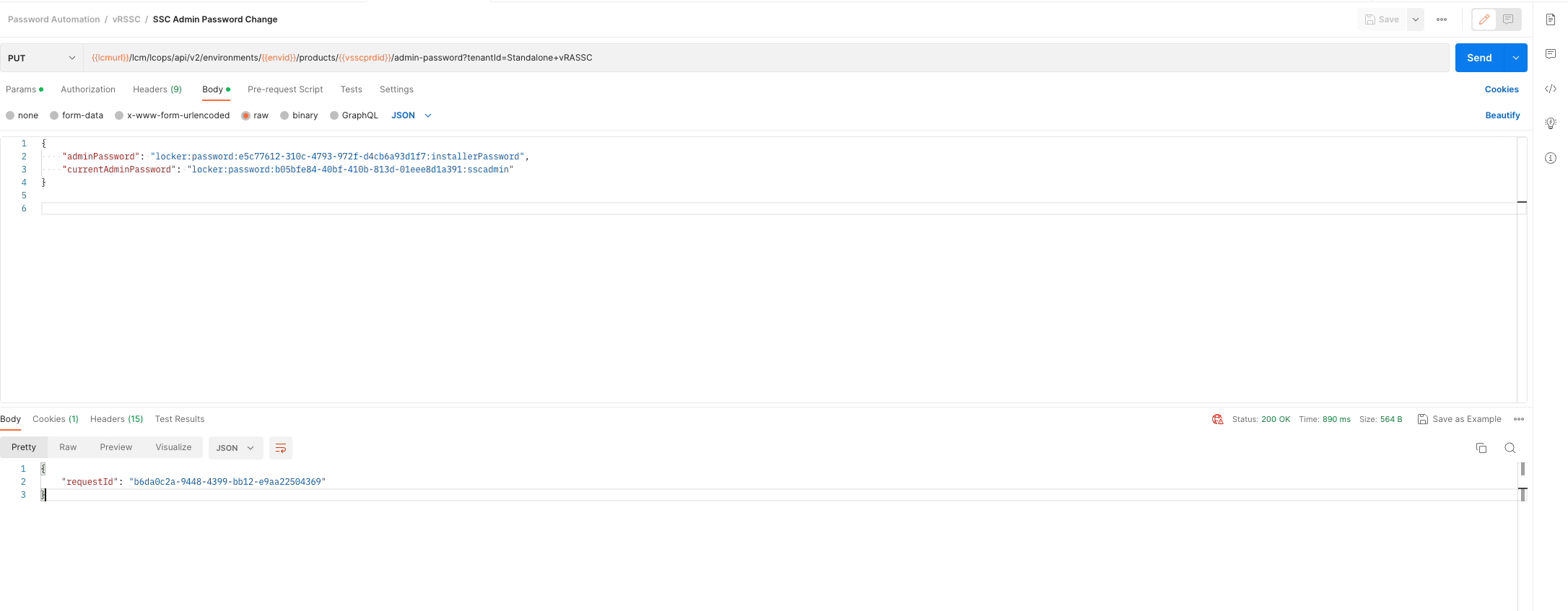
- Changing Admin Password
Method: PUT

URL:

{{lcmurl}}/lcm/lcops/api/v2/environments/{{envid}}/products/{{vsscprdid}}/admin-password?tenantId=Standalone+vRASSC

Authentication: Basic Auth admin@local / Password of admin@local

Body:

{
"adminPassword": "fc0cbc52-deab-4a14-810a-a78b09e01721:autoconfig_20042023",
"currentAdminPassword": "locker:password:e5c77612-310c-4793-972f-d4cb6a93d1f7:installerPassword"
}

Expected Response Code: 200 OK

Outcome:
There is a request id generated
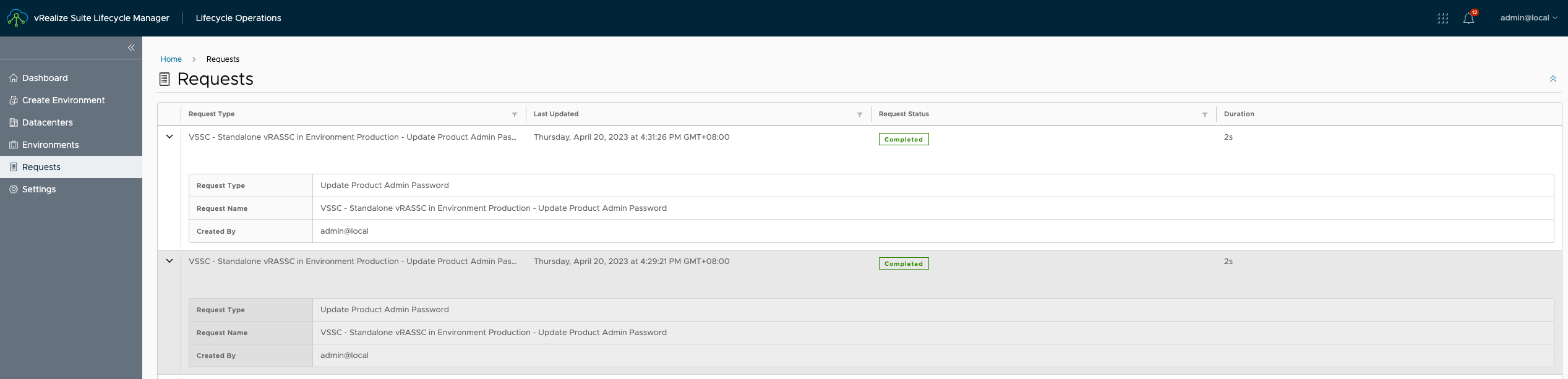
- Now upon checking UI the request is completed and the password is changed
- Login into VMware Aria Automation Config UI and then check out that you should be able to login using new passwords.
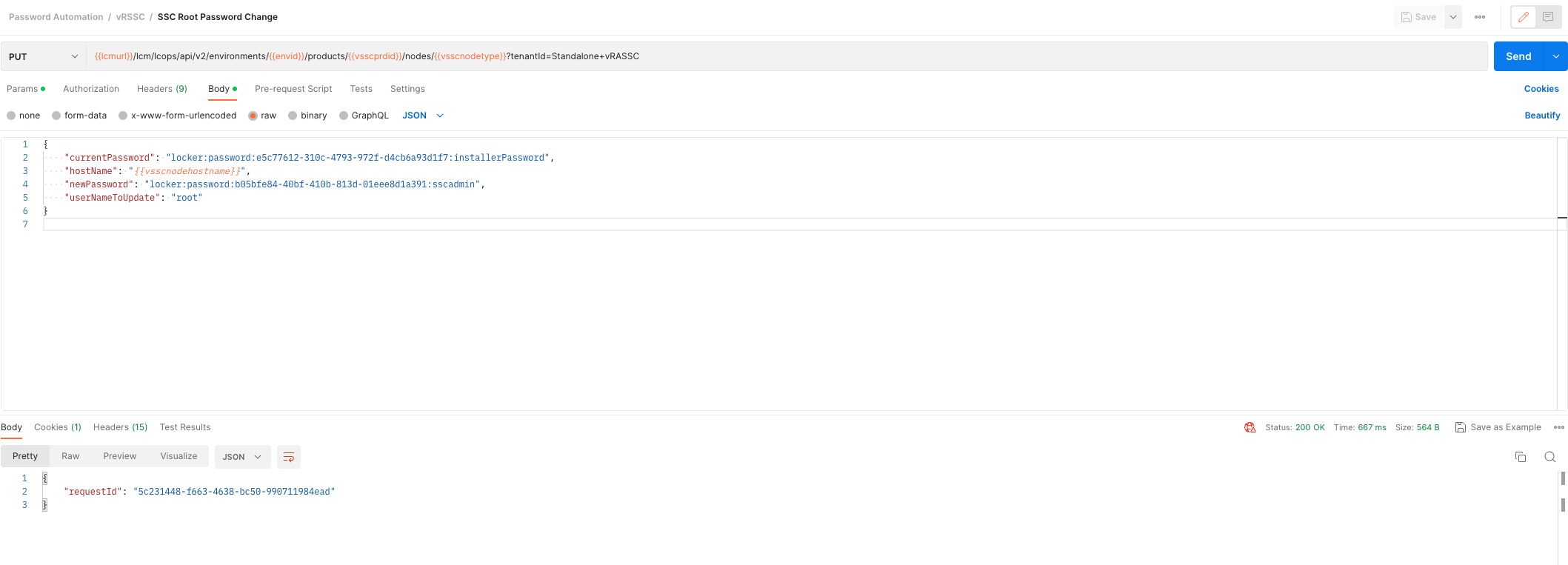
Working Example ( root )
Method: PUT

URL:

{{lcmurl}}/lcm/lcops/api/v2/environments/{{envid}}/products/{{vsscprdid}}/nodes/{{vsscnodetype}}?tenantId=Standalone+vRASSC

Authentication: Basic Auth admin@local / Password of admin@local

Body:

{
    "currentPassword": "locker:password:eb04d7cc-c101-44b2-9723-a89586afce4c:newpassword",
    "hostName": "{{sschostname}}",
    "newPassword": "locker:password:e5c77612-310c-4793-972f-d4cb6a93d1f7:installerPassword",
    "userNameToUpdate": "root"
}

Expected Response Code: 200 OK

Outcome:
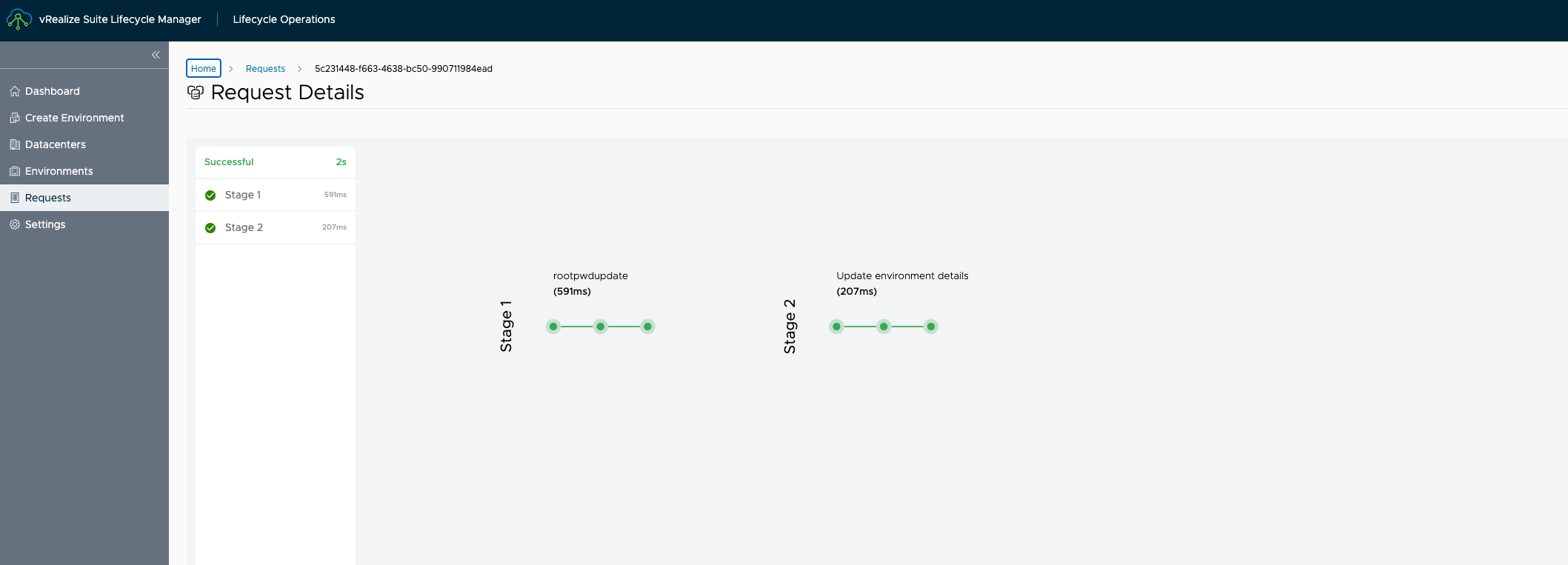
There is a request id generated
Never miss a post
New guides on VMware Cloud Foundation, Aria Suite, and infrastructure automation. Follow the blog in your feed reader and new posts show up as soon as they are published.
Using a different reader? Copy the feed URL and add it there.