Fetching Environment Details from VMware Aria Suite Lifecycle using API

Arun Nukula
1 min read
Step:1 Get the login token from VMware Aria Suite Lifecycle
Below table describes the data we need
| Method | POST |
| URL | {{lcmurl}}/lcm/authzn/api/login |
| Authentication | Basic Auth ( admin@local & password ) |
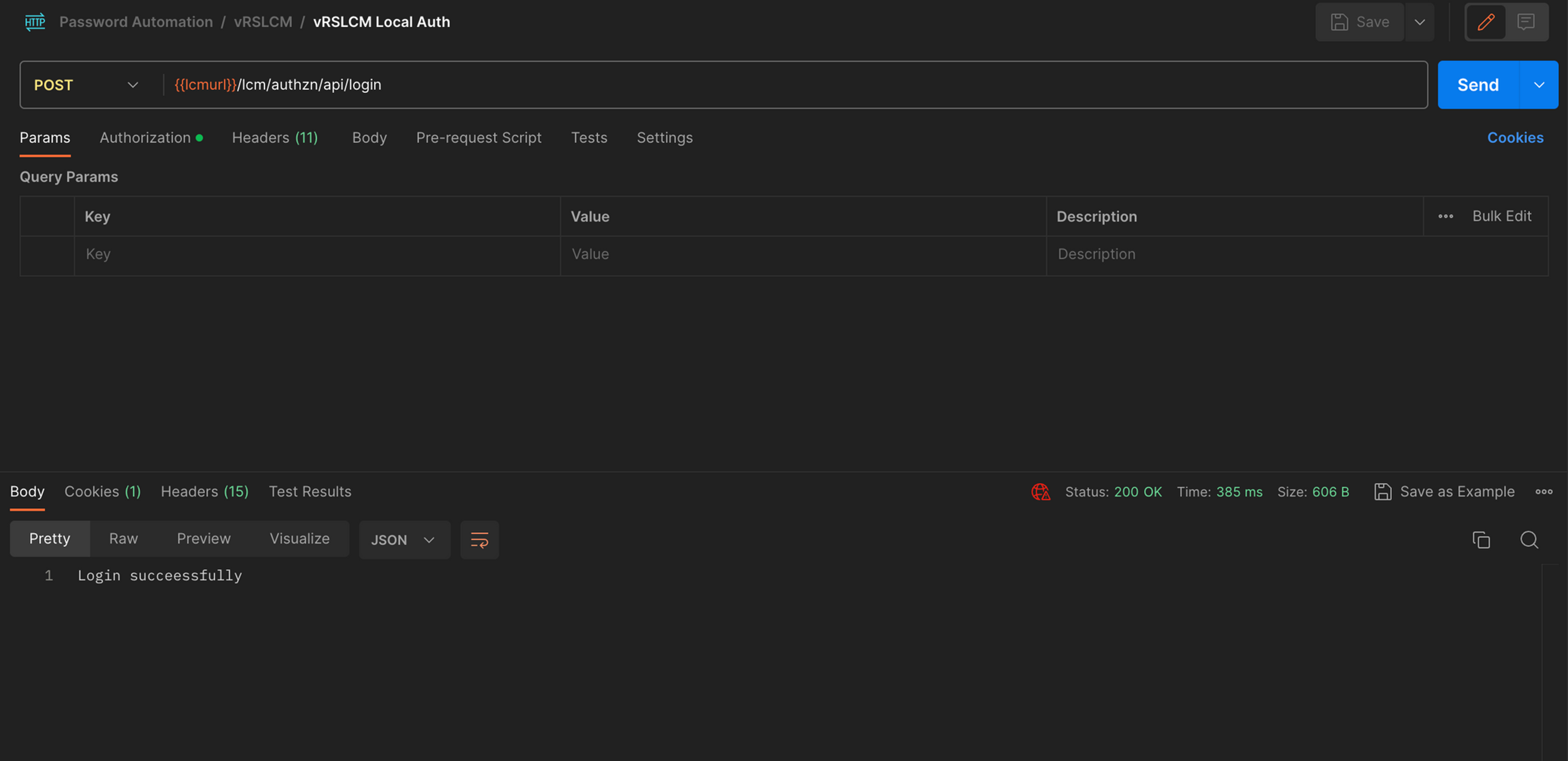
When this API is executed , it generates a cookie which is stored under cookies section
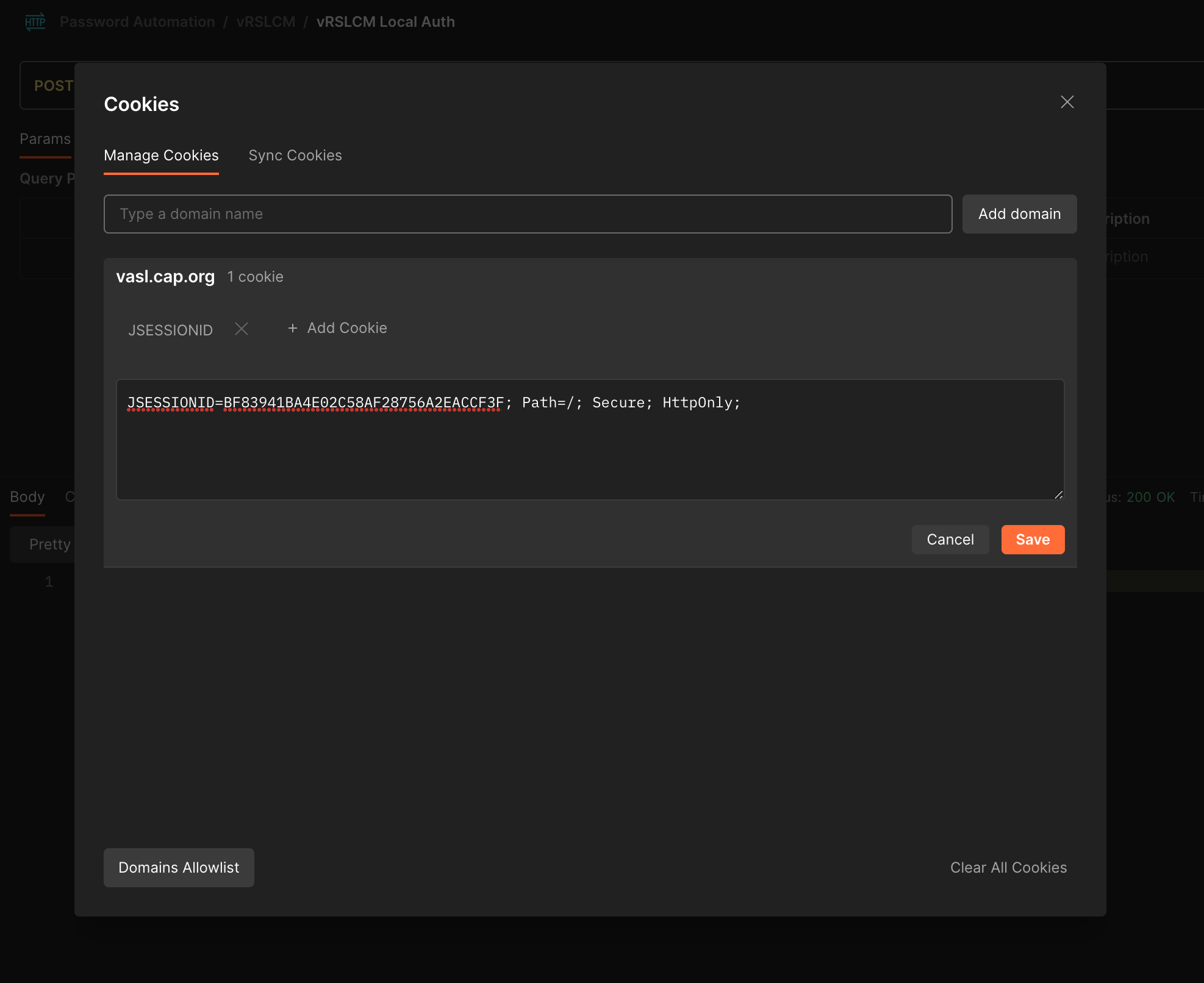
Step:2 Execute VMware Aria Suite Lifecycle API's
Fetch Environment Details using API
| Method | GET |
| URL | {{lcm}}/lcm/lcops/api/v2/environments |
| Authentication | Basic Auth ( admin@local & password ) |
| Content-Type | application/json |
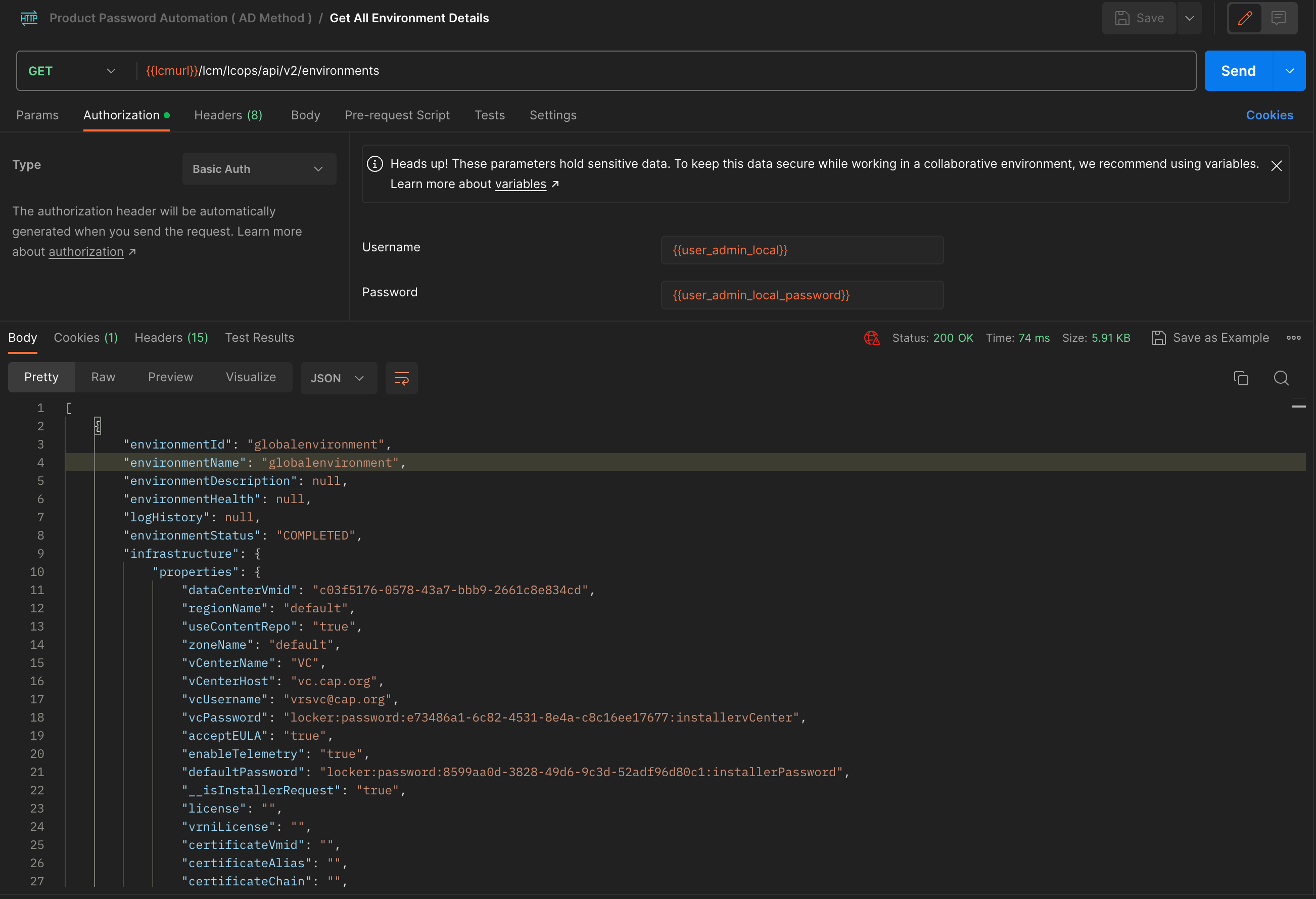
As seen above , we have all the details of globalenvironment. globalenvironment is nothing but VMware Identity Manager
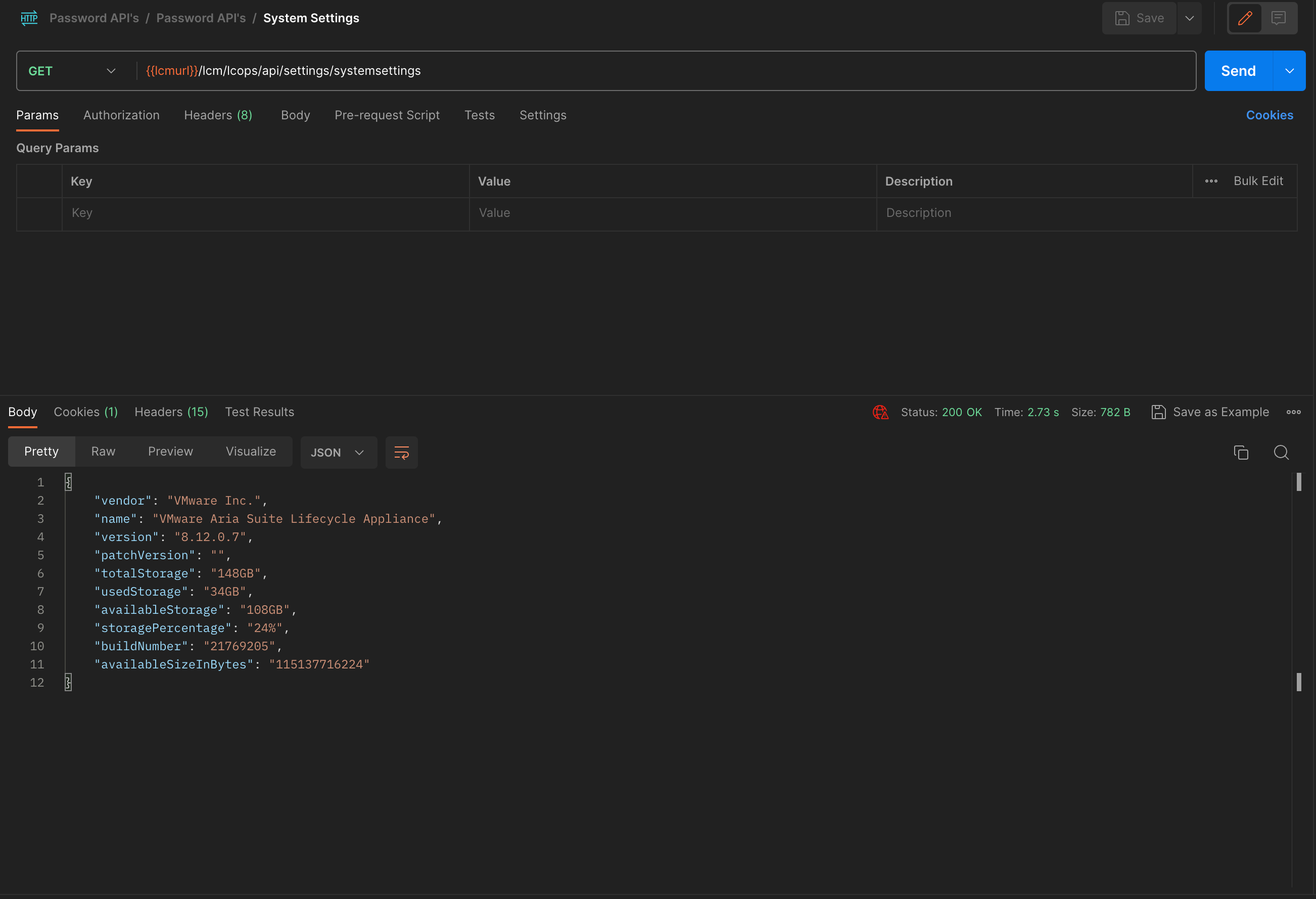
Fetching VMware Aria Suite Lifecycle Version and System Informaiton
| Method | GET |
| URL | {{lcmurl}}/lcm/lcops/api/settings/systemsettings |
| Authentication | Basic Auth ( admin@local & password ) |
| Content-Type | application/json |
Never miss a post
New guides on VMware Cloud Foundation, Aria Suite, and infrastructure automation. Follow the blog in your feed reader and new posts show up as soon as they are published.
Using a different reader? Copy the feed URL and add it there.