Roles in vRealize Automation 8.x

Roles define a set of privileges associated with users. These privileges are tasks that a user can perform.
Depending on responsibilities, a specific role will be assigned to a user.
Organization roles are defined at the topmost vRealize Automation layer. The following organization roles exist in vRealize Automation:
- Organization Owner
- Organization Member
Service roles define user access to individual services offered by vRealize Automation.
The following services exist in vRealize Automation:
- Cloud Assembly
- Code Stream
- Orchestrator
- Service Broker
Organization and Services
All services offered by vRealize Automation belong to the only possible global organization.
Any given service role must be associated with an organization role.
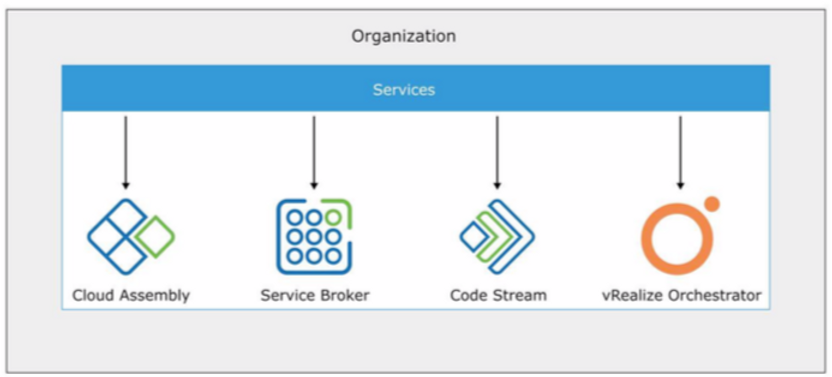
Only one organization can exist in a vRealize Automation deployment.
Each service in vRealize Automation has more than one role. For example, the Cloud Assembly service includes the following roles:
- Cloud Assembly Administrator
- Cloud Assembly User
Any user in vRealize Automation must be assigned an organization role with an associated service role.
Never miss a post
New guides on VMware Cloud Foundation, Aria Suite, and infrastructure automation. Follow the blog in your feed reader and new posts show up as soon as they are published.
Using a different reader? Copy the feed URL and add it there.