Upgrading VCF Automation 9.0.x to 9.1.0

This post walks through the VCF Automation upgrade to version 9.1, documenting the transition from the source version to the target version along with the commands worth knowing at each stage.
The thing to understand up front is that this is not an in-place upgrade. A brand new three-node VCF Automation 9.1 cluster is built alongside the old one, the data is restored into it, and the 9.0.x nodes are then shut down.
Prerequisites
- Verify that the VCF Operations fleet management appliance 9.0 has accurate inventory data.
- Confirm that all associated passwords and certificates are currently valid.
- Ensure VCF Automation is deployed on a Management Domain. It can reside on any VCF instance within the fleet, but placement within a Management Domain is strictly required.
Input parameters
When upgrading from VCF Automation 9.0.x or VMware Aria Automation 8.x, you need the following inputs before you begin.
| Input | Description |
|---|---|
| VCF Services Runtime FQDN | The FQDN for the cluster or platform hosting your VCF Automation component. Not required in VCF Automation 9.0, but mandatory for upgrading to 9.1. This FQDN should resolve to an IP that is part of the IP pool you enter next. |
| VCF Services Runtime nodes CIDR | A new set of IP addresses for the VCF Automation nodes deployed during the upgrade. These must reside on the same network as your current nodes. Enter a /29 CIDR block, which allocates the required 8 IP addresses, from the same network as your source VMware Aria Automation or VCF Automation 9.0.x. Starting in 9.1 Express Patch 2, you also have the option to specify an IP range instead of a CIDR block. |
| Password | A new password for the VCF Automation 9.1.0.0000 cluster, used for both the vmware-system-user and admin@vsp.local accounts, and for the admin user of the VCF Automation provider. Save this password securely. It is critical for future access and to rotate it. |
Important commands
Accessing the lifecycle namespaces
Log in to VCF Operations → Build → Lifecycle → VCF Management → Components, click VCF Services Runtime, and identify a control plane IP. Any of them will do, and the number of control plane nodes depends on the sizing you selected during deployment.
SSH to that control plane IP using vmware-system-user. This is the only account you can use to SSH. Once logged in, export the kubeconfig:
sudo su -
export KUBECONFIG=/etc/kubernetes/admin.conf
List the namespaces. vcf-fleet-lcm belongs to fleet lifecycle and vcf-sddc-lcm belongs to SDDC lifecycle:
kubectl get ns
kubectl get pods -n vcf-fleet-lcm
kubectl get pods -n vcf-sddc-lcm
Understanding the pods under vcf-fleet-lcm:
vcf-fleet-build-service-fleetbuild-<alphanumeric>is responsible for install, Day-N actions and backup and restore tasks on the frontend. It acts as an orchestrator.vcf-fleet-lcm-db-<##>are the database pods.vcf-fleet-upgrade-service-fleetupgrade-<alphanumeric>is responsible for upgrades and patching. It also acts as an orchestrator.
Understanding the pods under vcf-sddc-lcm:
vcf-sddc-build-service-sddcbuild-<alphanumeric>is the execution engine for install, Day-N actions and backup and restore. It acts as a worker which goes ahead and performs the task on a component in a given VCF instance.vcf-sddc-lcm-db-<##>are the database pods.vcf-sddc-upgrade-service-sddcupgrade-<alphanumeric>is responsible for upgrade and patching execution, again as a worker.
Accessing logs
List all of the pods, workflows and jobs:
kubectl get workflows -A
kubectl get jobs -A
kubectl get pods -A
For the VCF Automation pods specifically:
kubectl get pods -n prelude
kubectl get pods -n vmsp-platform
Check the logs of a specific pod:
kubectl logs <podname> -n <namespace>

# example
kubectl logs vcfa-precheck-upgrade-all-connectivity-qs4k4-execute-script-3725665860 -n prelude
At any point during the upgrade, monitoring the SDDC upgrade service pod's logs and the VCF Automation pod logs should be more than enough.
Lab topology
| Type | VCF Automation 9.0.2.0000 (source) | VCF Automation 9.1.0.0000 (destination) | Any changes |
|---|---|---|---|
| VCF Automation FQDN | vcfa1.arun.com (10.0.0.20) | vcfa1.arun.com (10.0.0.20) | The same FQDN is carried over to the new cluster. |
| VCF Services Runtime FQDN | Did not exist | vcfasr.arun.com (10.0.0.148) | New input asked during the Configure phase. |
| VCF Services Runtime CIDR | Known as Cluster Node IP Pool in 9.0.x, entered as a range: 10.0.0.8, 10.0.0.9, 10.0.0.10, 10.0.0.11 | 10.0.0.152/29, giving 10.0.0.152 through 10.0.0.159 | A set of 8 continuous IPs for the new nodes, entered as a /29 CIDR. |
Import phase
If you are coming from VCF 9.0.x to 9.1, the automation component is fetched and stored in fleet lifecycle 9.1 automatically during the VCF Management Services installation phase, so there is no manual import. If you are coming from vSphere or VCF 5.x to VCF 9.1, you need to manually import VMware Aria Automation 8.18.x and then upgrade it to 9.1.
My lab has three nodes on version 9.0.2.0000: vcfa-node-4wfdc, vcfa-node-grwgf and vcfa-node-w6qqj.
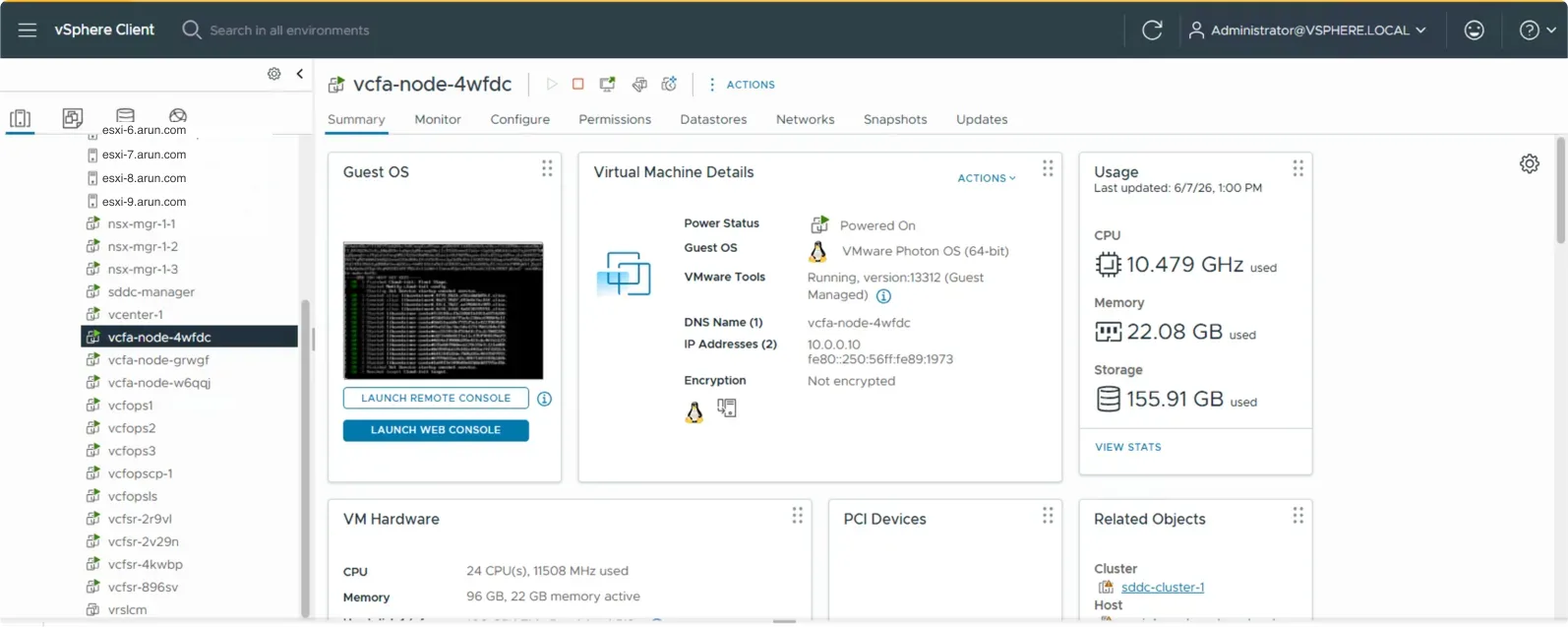
One important thing to note: when your VCF Automation 9.0.2 is imported into the fleet lifecycle 9.1 inventory, parameters like the VCF Automation IP pool, FQDN and infrastructure details will be blank. This inventory data is populated back once Automation is upgraded to 9.1.x.
Configure phase
After the component is imported into the new fleet lifecycle, navigate to the Upgrade tab to see the components available for upgrade. A new pane opens prompting for the inputs required:
- VCF Services Runtime nodes CIDR
- VCF Services Runtime FQDN
- VCF Automation and VCF Services Runtime password
The VCF Automation FQDN is not asked for. The FQDN already present on the source version is reused, so there is no need for a new input.
Review the inputs and click Finish. This takes a minute or two to save the settings, after which the Configure option changes to Run Prechecks.
If there is a failure at this stage you need to look at the fleet lifecycle logs. There is no single log to monitor, because an upgrade flow is handled by both the fleet upgrade service and the SDDC upgrade service.
Precheck phase
Click Run Prechecks to start the prechecks, which are executed against the existing VCF Automation 9.0.2.0000 cluster from the fleet lifecycle.
The prechecks are grouped into five categories.
Topology
| Check | What it does |
|---|---|
test-topology-01 | Primary IP on Management vCenter: checks if the source primary IP can be found as a virtual machine on the management vCenter. |
test-topology-02 | All Nodes on Management vCenter: verifies that all node IPs are present as VMs on the management vCenter. |
test-topology-03a | Import Spec Validation: validates that all mandatory configuration fields in the import spec are present. |
test-topology-03b | Upgrade Spec Validation: ensures the upgrade spec fields correctly match the originally imported values. |
test-topology-04a | VM Single Datastore: checks if all source VM disks reside on the same datastore. |
test-topology-04b | Source and Target Datastore Match: confirms the source and target datastores are the same. |
test-topology-05a | Platform FQDN Resolvable Locally: validates resolution of the platform FQDN from the local (management) DNS. |
test-topology-05b | VCFA FQDN Resolvable: validates VCFA FQDN resolution using the source system's DNS servers. |
test-topology-05c | VCFA FQDN Resolvable Locally: validates VCFA FQDN resolution from the local (management) DNS. |
test-topology-06a | Source IPs in Target Network: ensures the source IPs fall within the CIDR of the target network. |
test-topology-06b | IP Pool in Target Network: checks that the configured IP pool is within the target network. |
test-topology-06c | Platform VIPs in Target Network: validates that the platform VIPs belong to the target network. |
test-topology-07a | IP Pool Size Validation: verifies the IP pool provides enough IPs, requiring between 5 and 256. |
test-topology-07b | IP Uniqueness Validation: ensures there are no overlapping IP addresses across all nodes, VIPs and pool configurations. |
test-topology-08a | Node Pool IPs Availability: actively tests the allocated node IP pool addresses via ping and arp to ensure they are available and not in use. |
test-topology-08b | Platform VIP Availability: actively tests the platform VIPs to ensure they are available on the network. |
Application
| Check | What it does |
|---|---|
test-application-01-9x-fips | FIPS Endpoint Compatibility Check: checks the current FIPS mode status on the source VCFA 9.x environment. |
Connectivity
| Check | What it does |
|---|---|
test-ssh-01-fqdn-resolvable | FQDN Resolution Check: verifies that the primary FQDN successfully resolves to an IP address. |
test-ssh-02-ip-port-open | SSH Port Check: confirms that SSH port 22 is open and accepting connections on the primary VIP. |
test-ssh-03-cipher-negotiation | Cipher Negotiation Check: ensures the SSH cipher negotiation matches the expectations of the configuration collector. |
test-ssh-04-authentication | SSH Authentication Check: validates that SSH login succeeds using the provided credentials, specifically for vmware-system-user. |
Health
| Check | What it does |
|---|---|
test-health-01-9x-k8s-healthy | Kubernetes Cluster Health: checks if all cluster nodes are up and in a Ready state. |
test-health-02-9x-services-healthy | Application Services Health: checks if all app category services are healthy using the cluster services API. |
test-health-03-9x-no-db-split-brain | Database Split-Brain Check: checks for a database split-brain condition in the VCFA 9.x environment. |
test-health-04-9x-disk-io-latency | Disk I/O Latency: executes parallel latency checks on the PostgreSQL pods, for example vcfapostgres-0, monitoring I/O latency over 30 seconds with a 250MB load. |
test-health-07-9x-cert-chain-valid | Certificate Chain Validation: checks if the TLS certificate bundle contains a valid certificate chain by verifying it against the server. |
Source
| Check | What it does |
|---|---|
test-source-01-9x-product-identification | Product Identification Check: verifies if the source system is a VCF Automation 9.0.x product. |
test-source-02-9x-version-validation | Version Validation Check: runs only after the first check succeeds, to further validate the source system's VCF Automation 9.0.x product version. |
The prechecks take a while to complete, as the list is exhaustive. Once all of them are done, you can proceed with the upgrade.
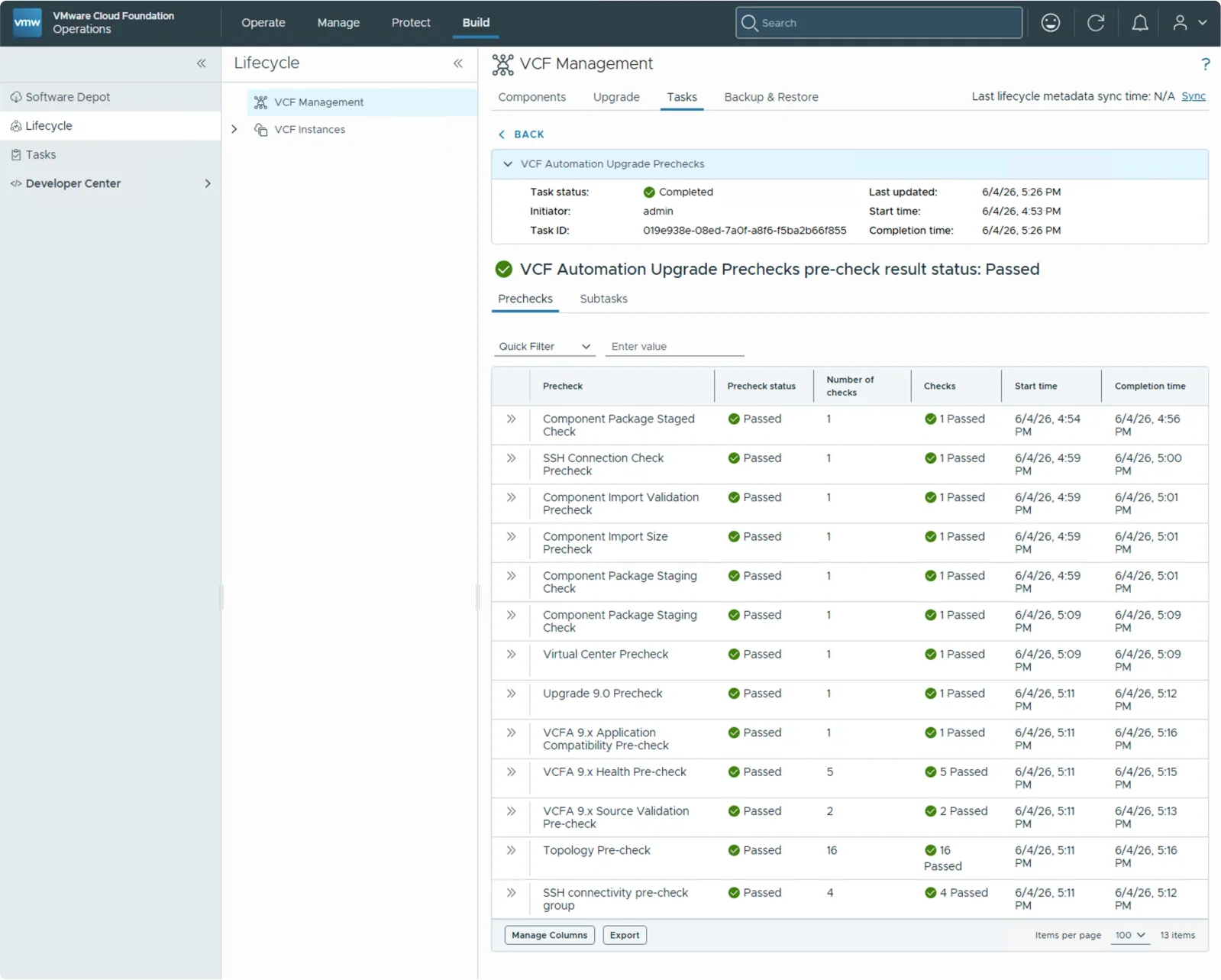

The precheck workflows run in the prelude namespace, and you can watch them with:
kubectl get workflow -A
kubectl get pods -n prelude
Upgrade phase
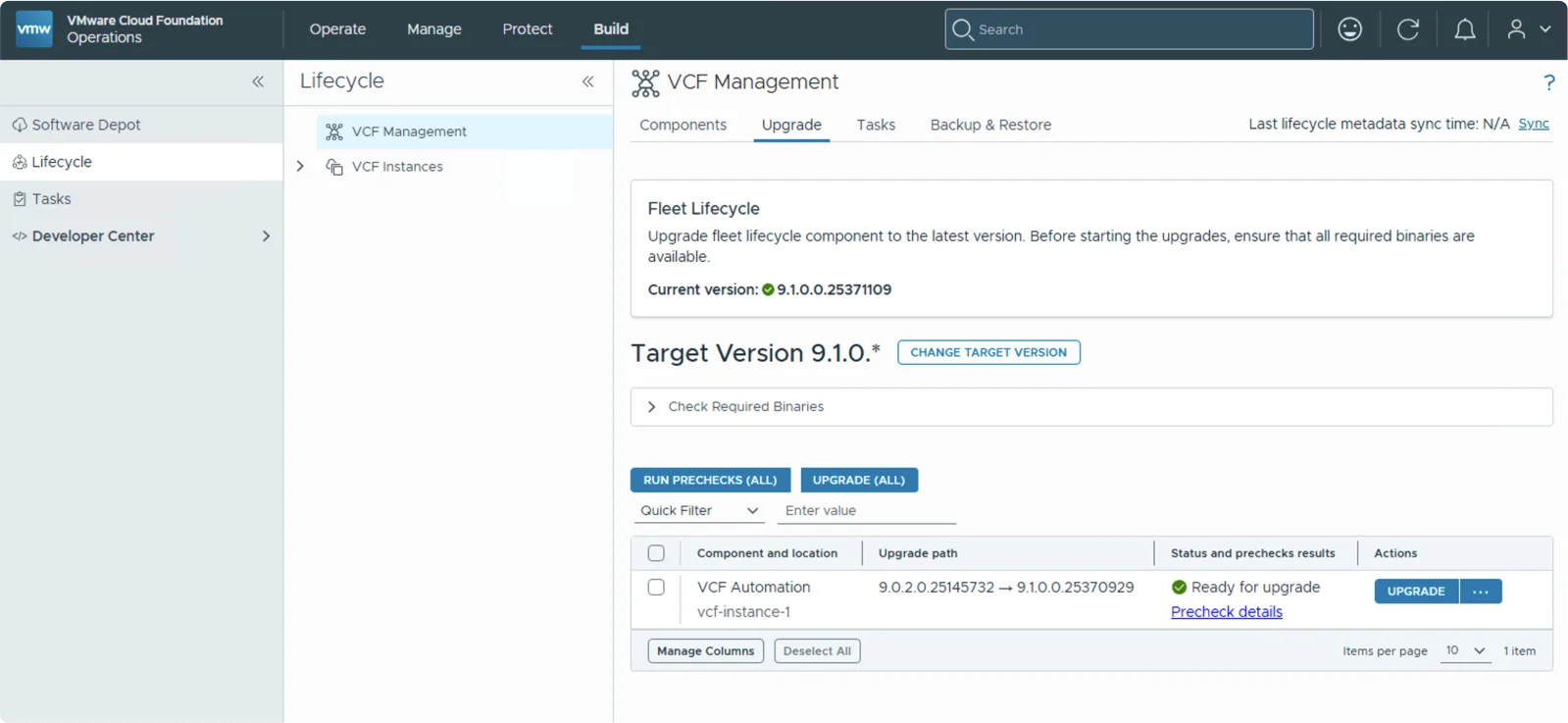
With prechecks passed, the component shows as Ready for upgrade with the upgrade path from 9.0.2.0.25145732 to 9.1.0.0.25370929.
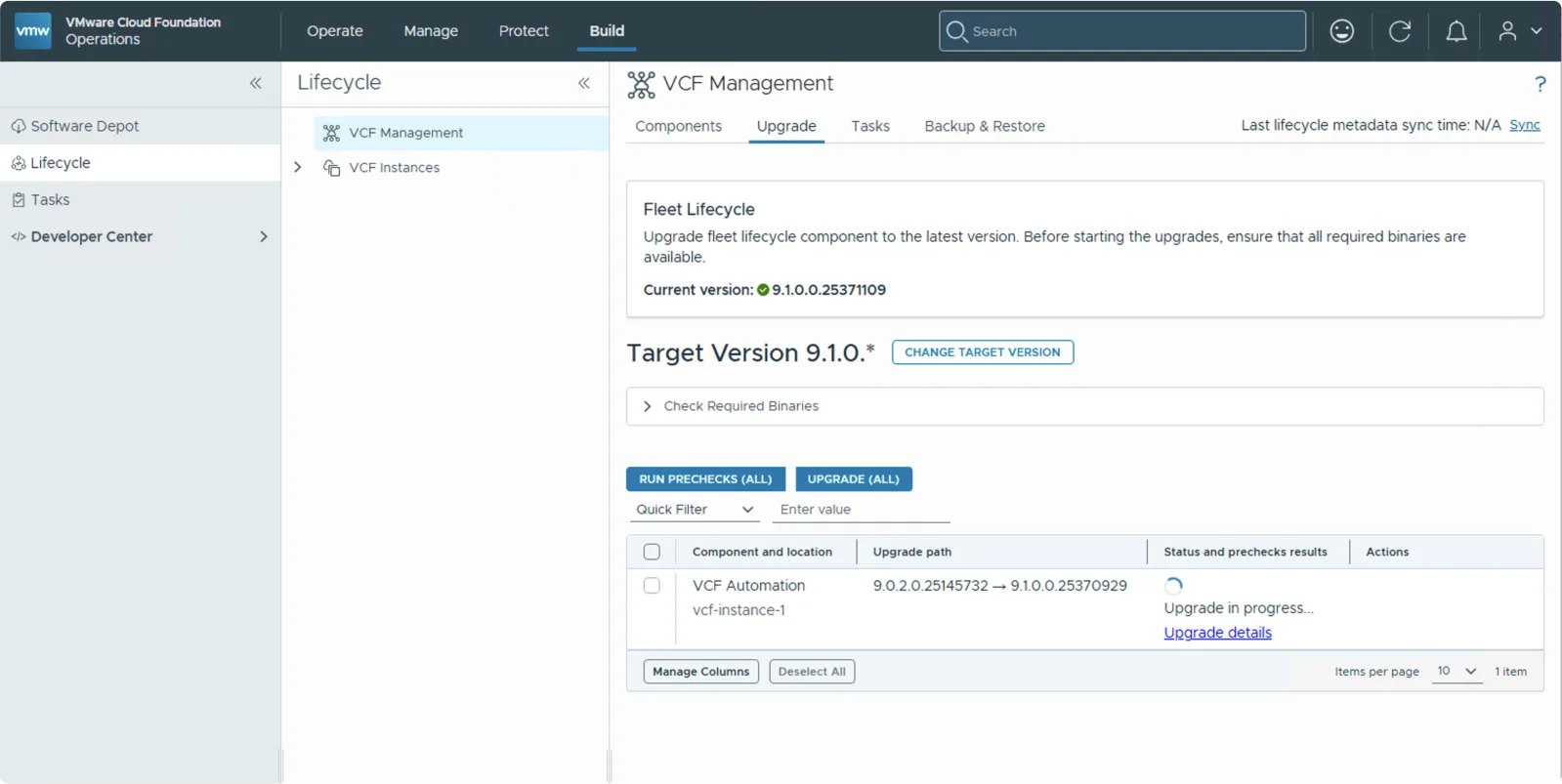
Click Upgrade, and the status changes to Upgrade in progress. Click Tasks to see the new task generated, which will be in an In Progress state.
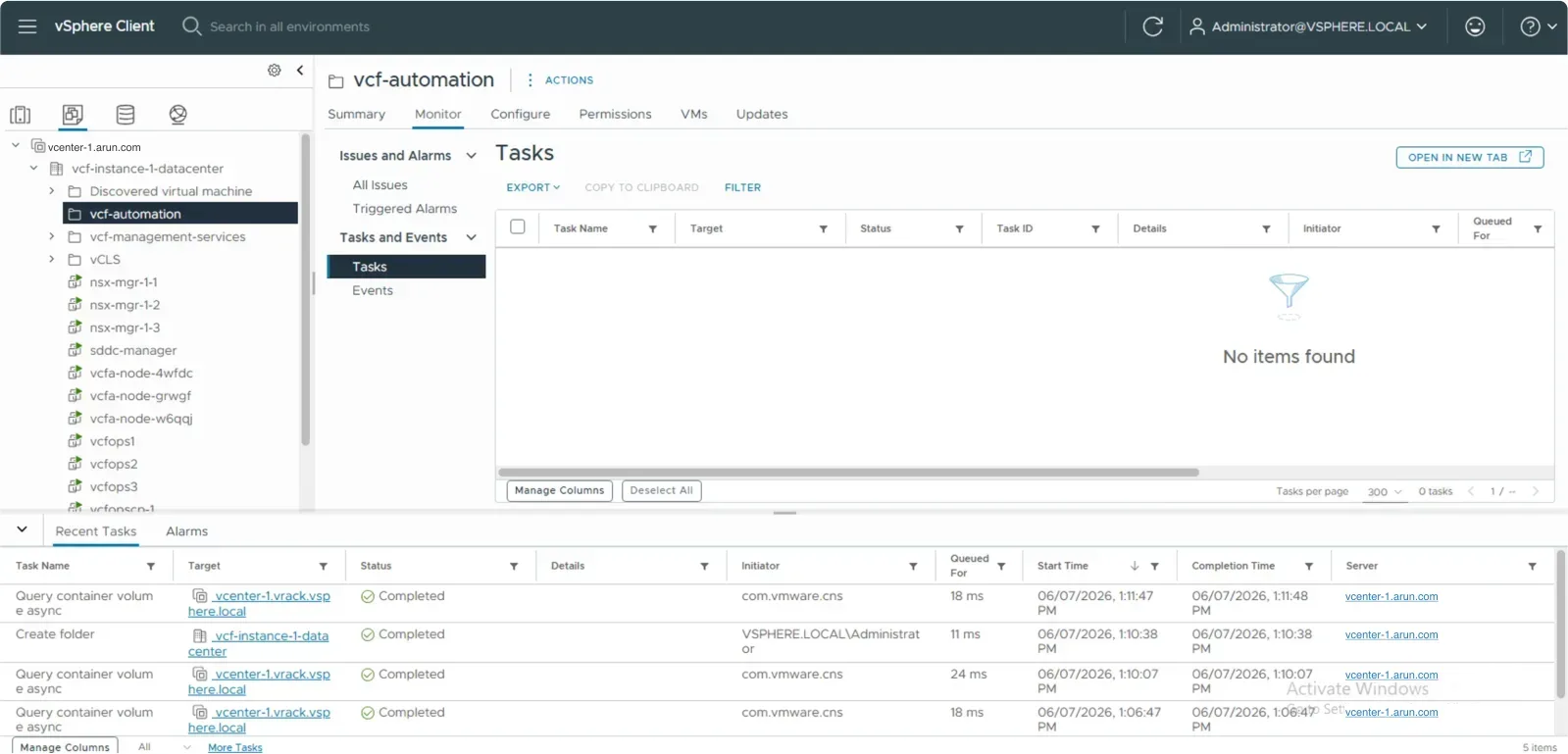
A folder is created on the Management Domain vCenter
A new folder called vcf-automation is created on the vCenter of the Management Domain. If the folder already exists, the system logs a message stating its presence and proceeds to the next step without failing. Typically this folder will only exist if you are retrying an upgrade.
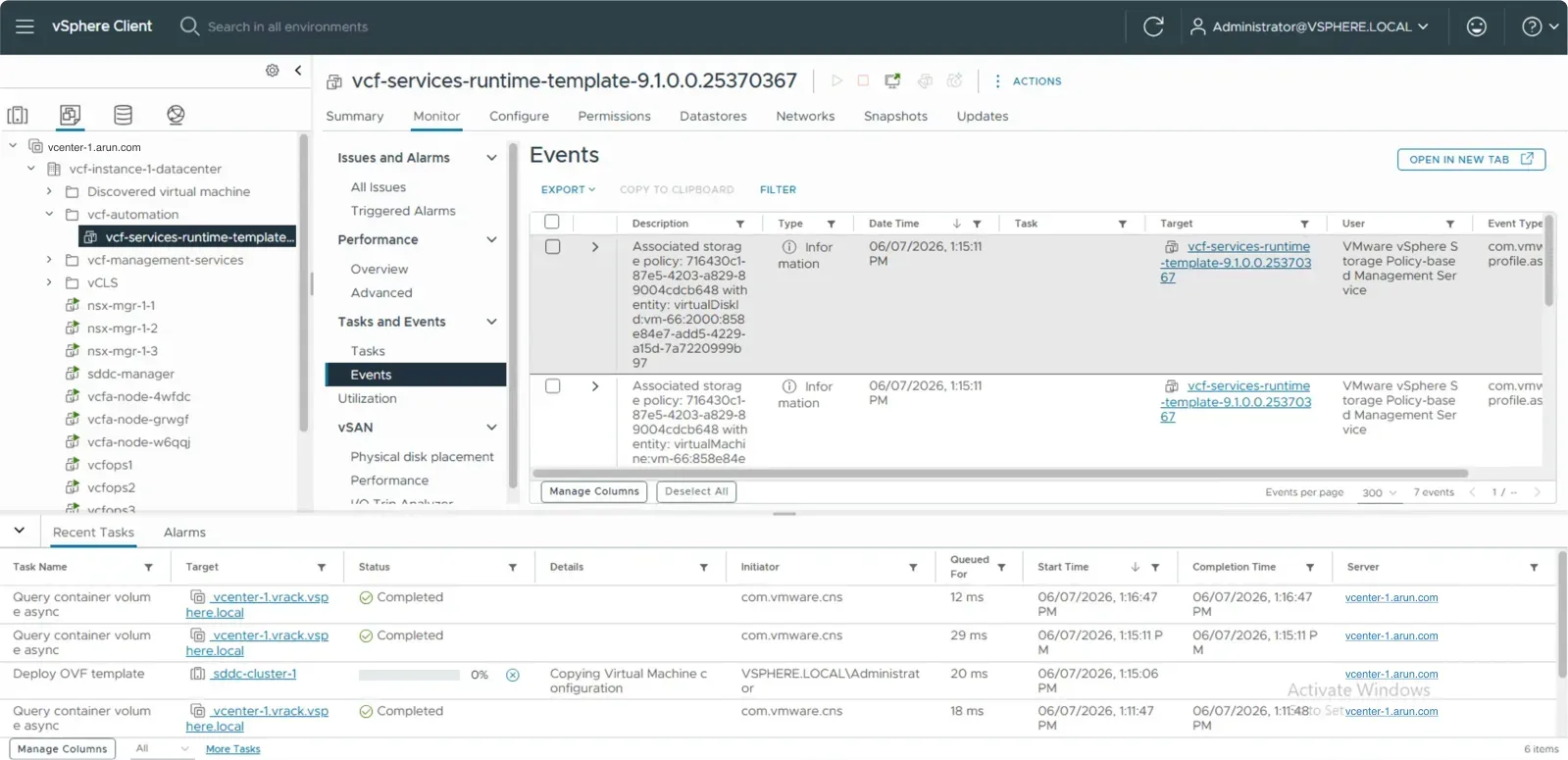
The runtime template is deployed
A vcf-services-runtime-template-9.1.0.0.25370367 template is deployed. This is the template used to deploy the three VCF Automation nodes.
At any point in time you must never delete this template.
A bootstrap VM is deployed
Once template deployment completes, a bootstrap virtual machine is deployed. Its IP address is taken from the IP pool (CIDR) you gave during the Configure step.
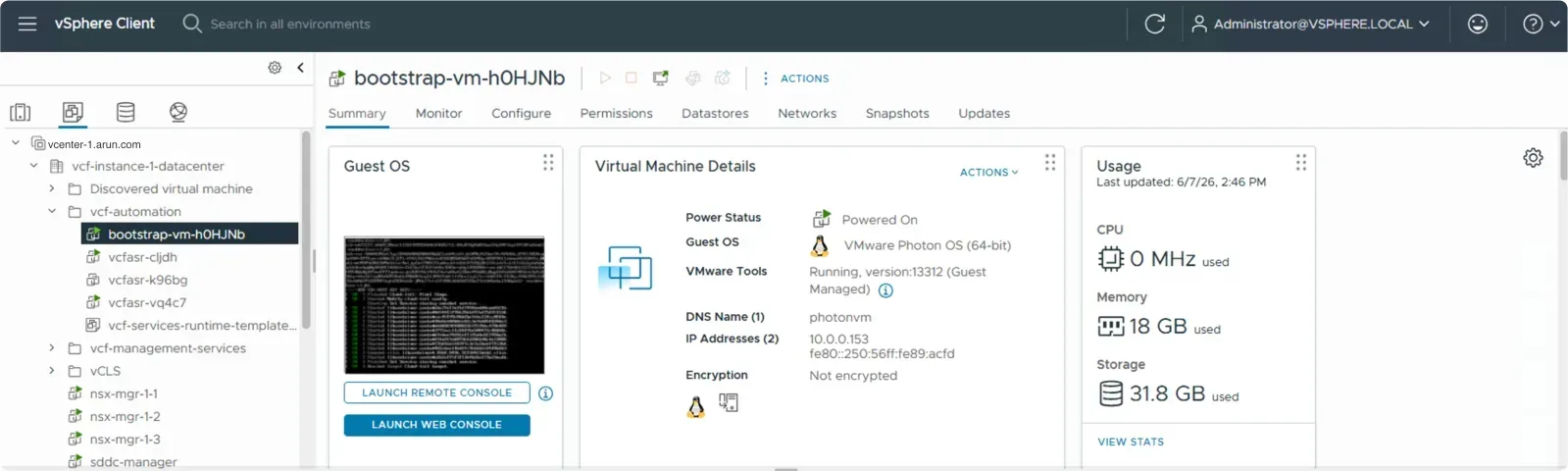
The bootstrap VM runs its own small set of pods. You can log into it and inspect them the same way:
export KUBECONFIG=/etc/kubernetes/admin.conf
kubectl get ns
kubectl get pods -n vmsp-platform
The new 9.1 nodes are deployed
Once the bootstrap VM is up, it starts to deploy the new VCF Automation 9.1 nodes.
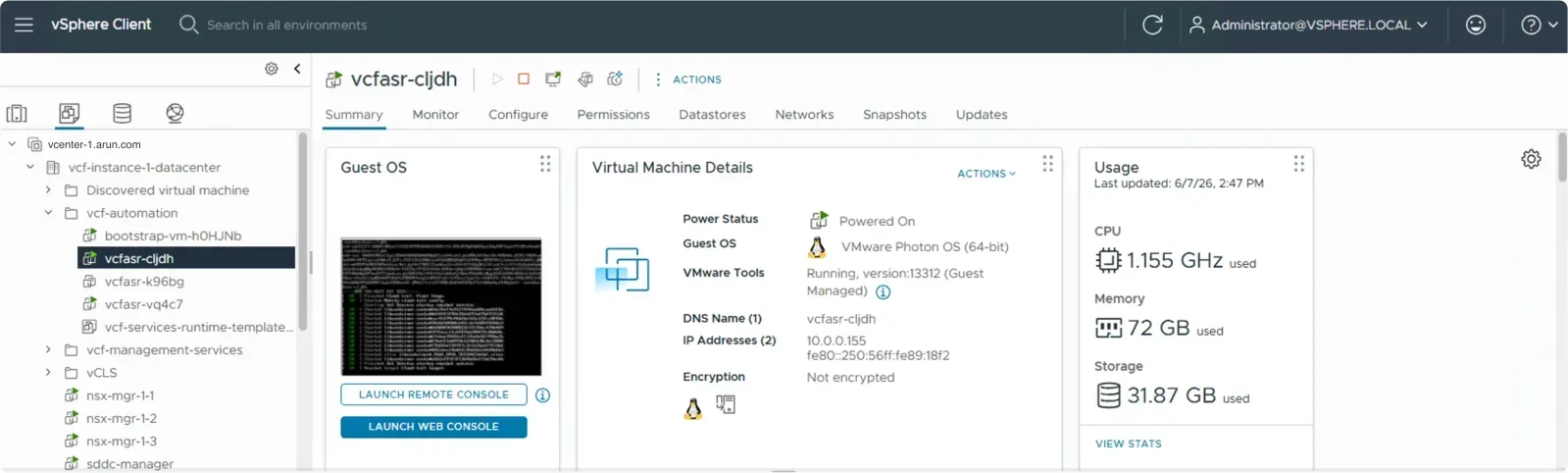
Here is the breakdown of the IP addresses taken from the pool in my run:
| Type | Name | IP |
|---|---|---|
| bootstrap VM | bootstrap-vm-h0HJNb | 10.0.0.153 |
| VCF Automation node 1 | vcfasr-cljdh | 10.0.0.155, 10.0.0.148 |
| VCF Automation node 2 | vcfasr-k96bg | 10.0.0.156 |
| VCF Automation node 3 | vcfasr-vq4c7 | 10.0.0.152, 10.0.0.154 |
The subtasks that make up the upgrade
The upgrade runs as a series of subtasks that you can follow in the task detail view. The Create Automation Cluster step is where the new cluster is stood up.
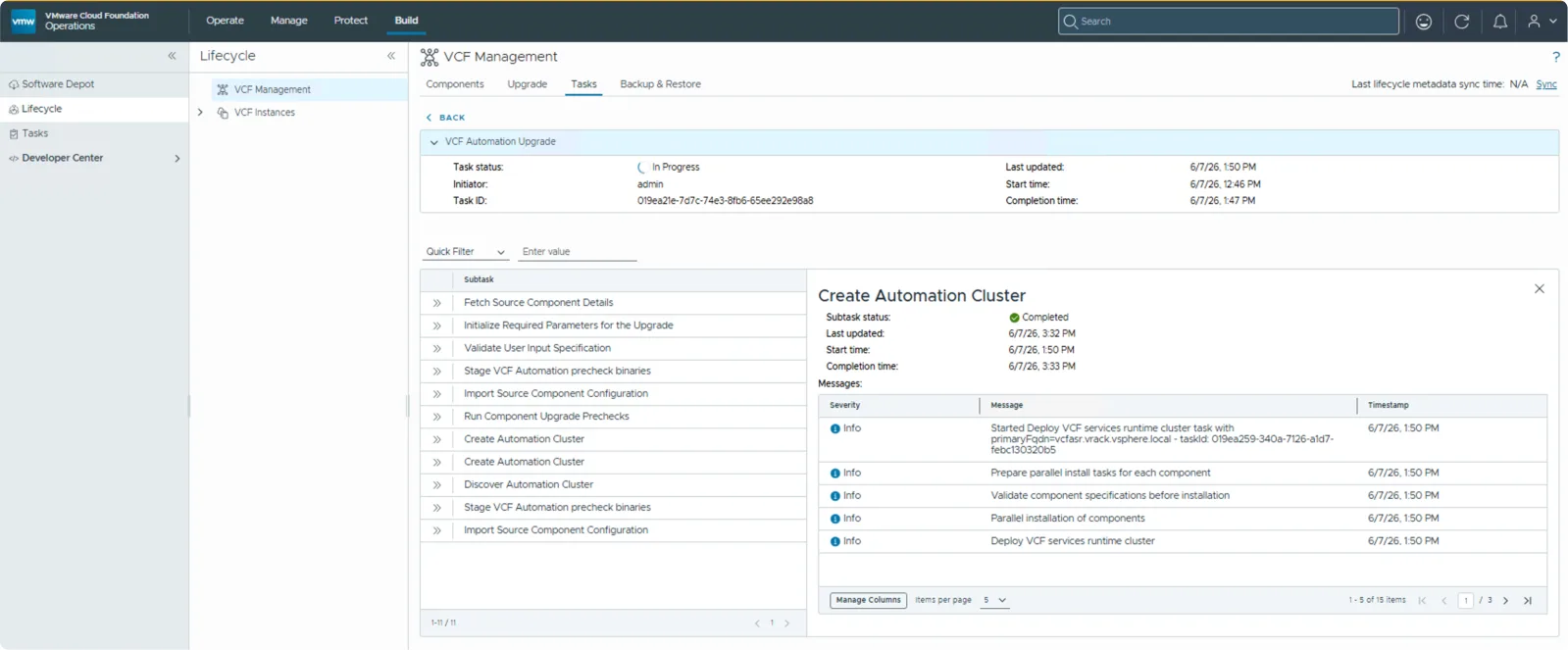
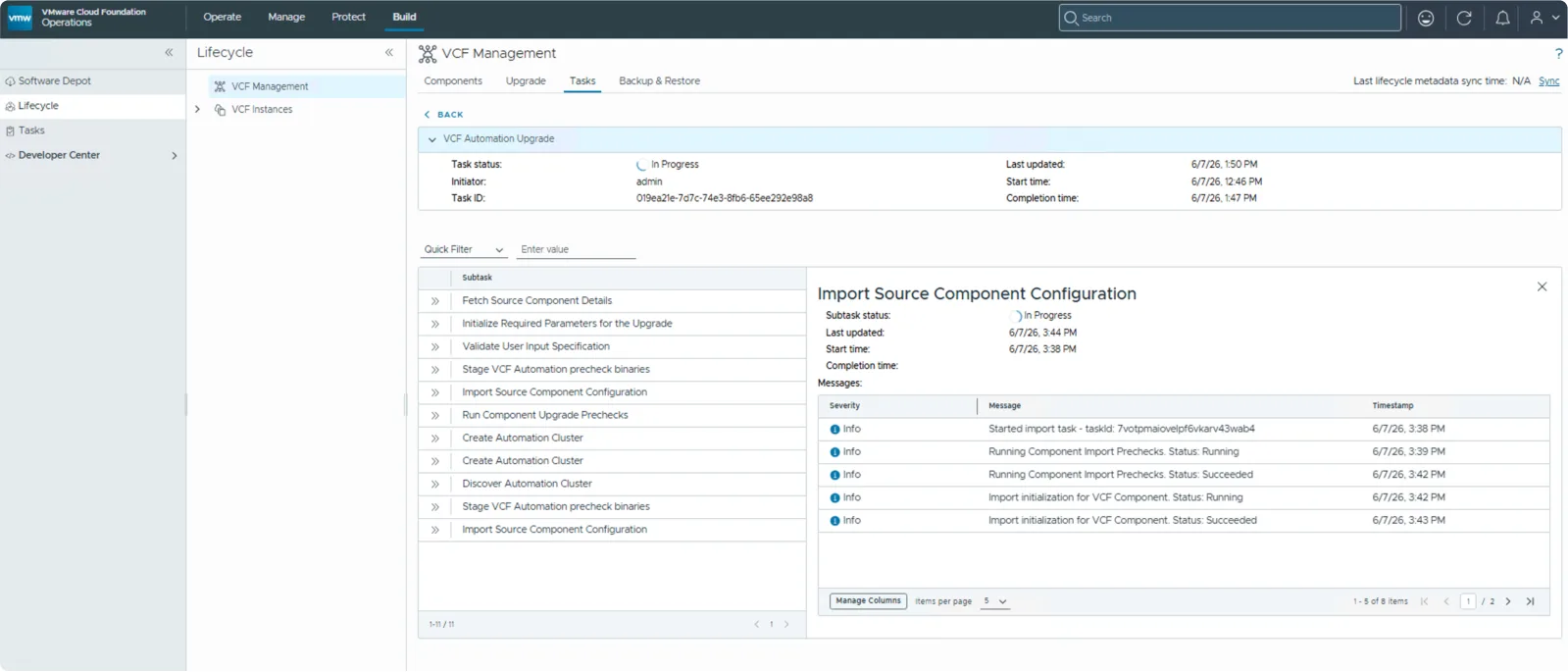
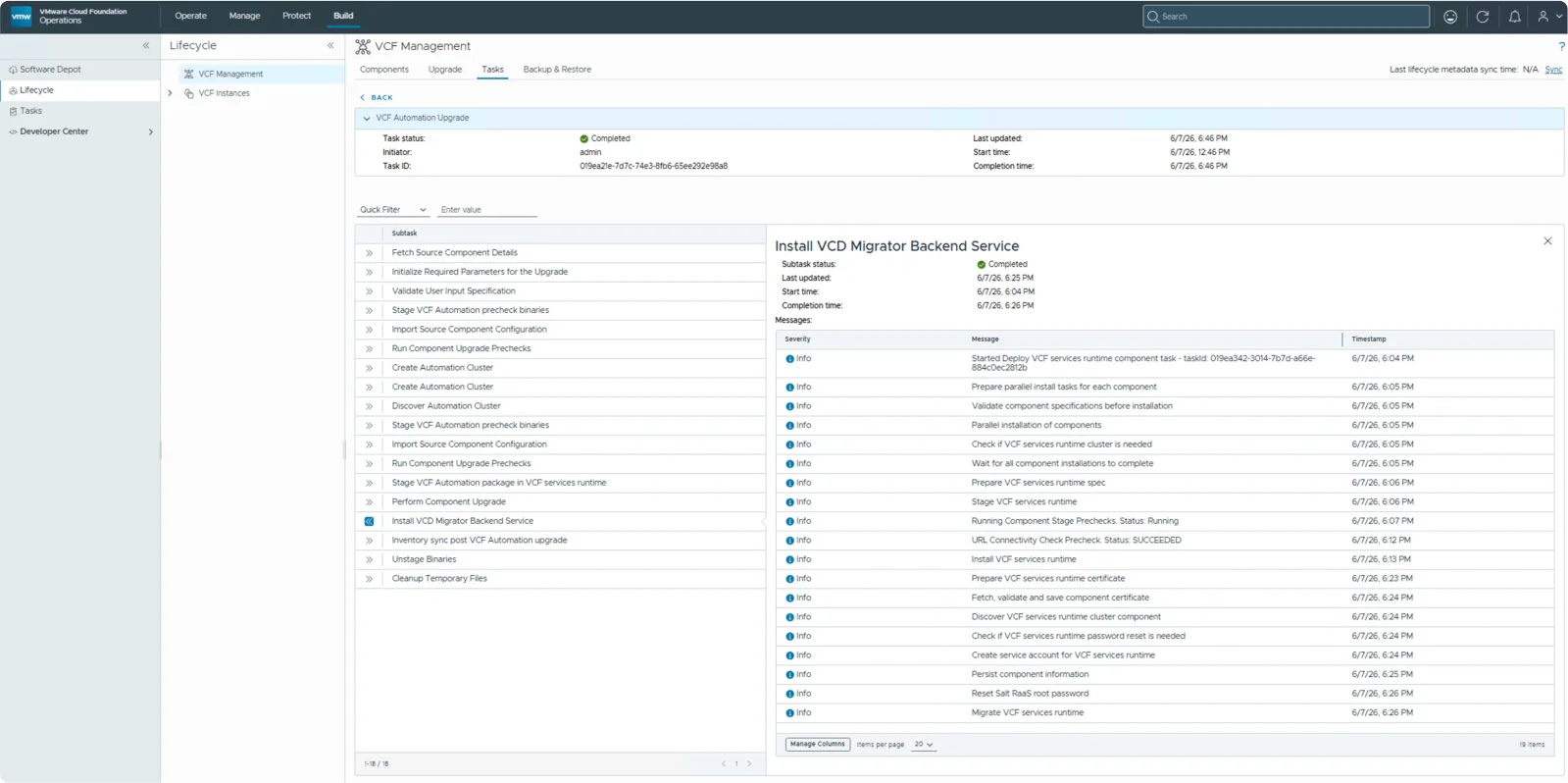
Once the new cluster is up, the data from the source cluster is restored into it. On the new cluster you can watch the same namespaces:
kubectl get workflows -A
kubectl get pods -n prelude
kubectl get pods -n vmsp-platform
Cleanup
Towards the end, an inventory sync runs against VCF Automation to bring the latest infrastructure and component details into the fleet lifecycle. The downloaded binaries are removed in the Unstage Binaries phase, and the final Cleanup Temporary Files subtask deletes all of the precheck pods that were created, leaving just VCF Automation 9.1.0.0 in place.
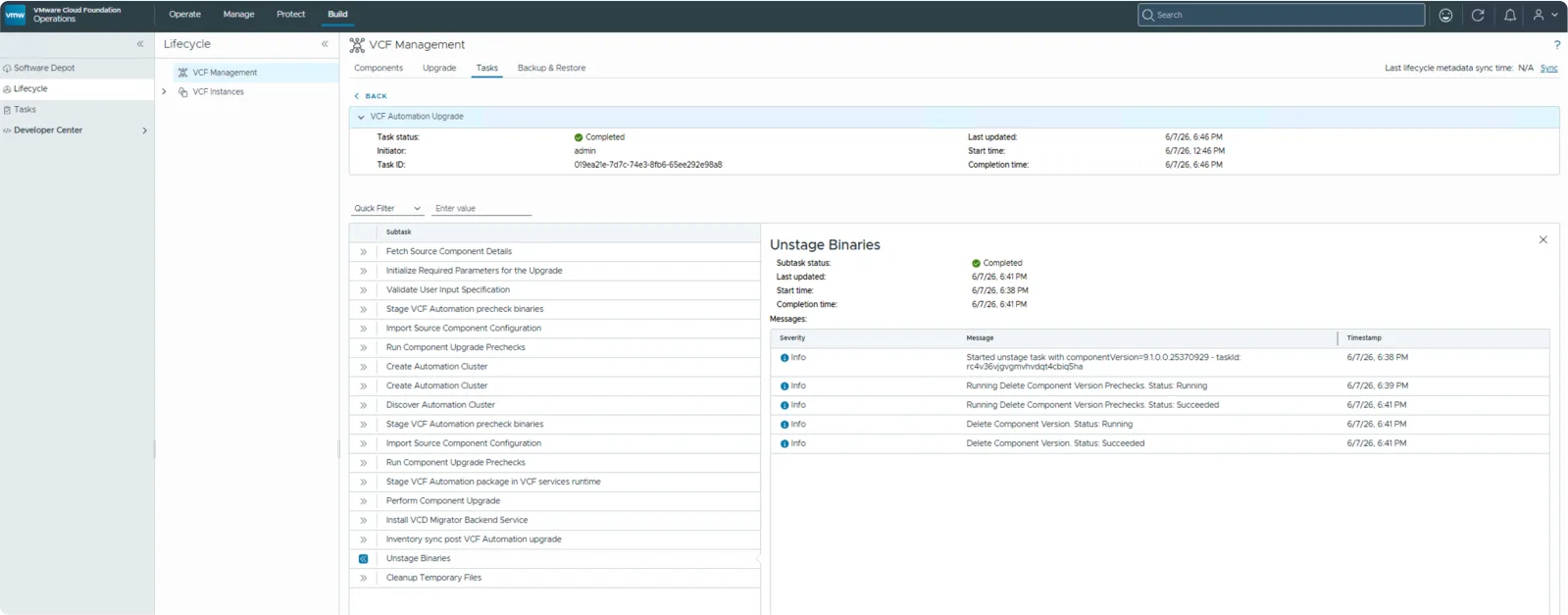
This concludes the VCF Automation upgrade.
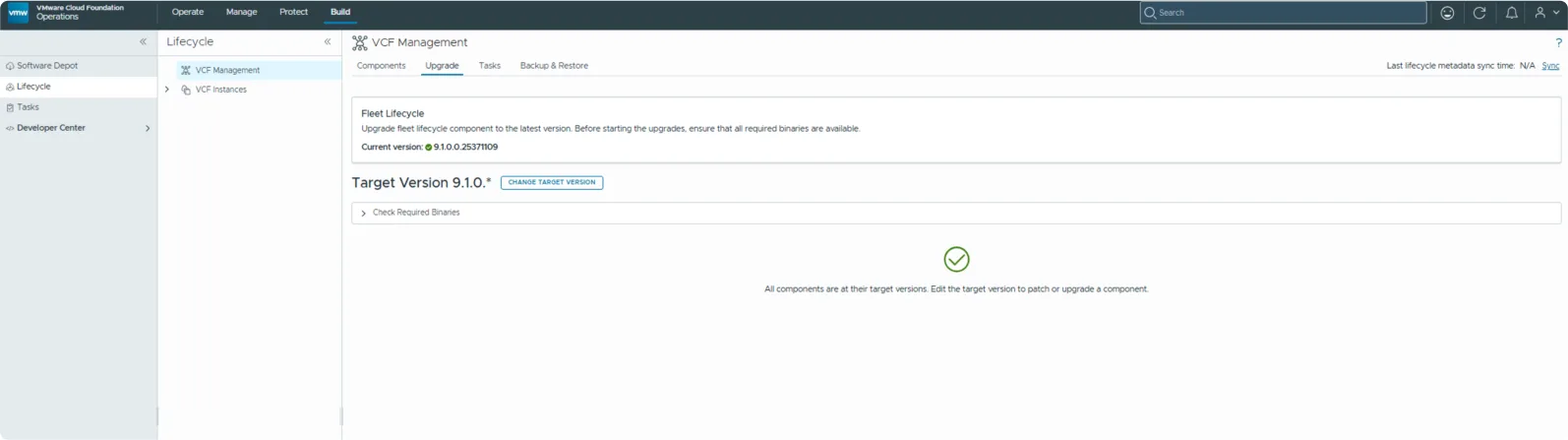
The component disappears from the Upgrade pane, as it is already on 9.1. Heading to the Components pane and clicking VCF Automation, you can now see all of the platform and infrastructure details of the nodes, and Actions gives you the ability to perform the Day-N actions you need.
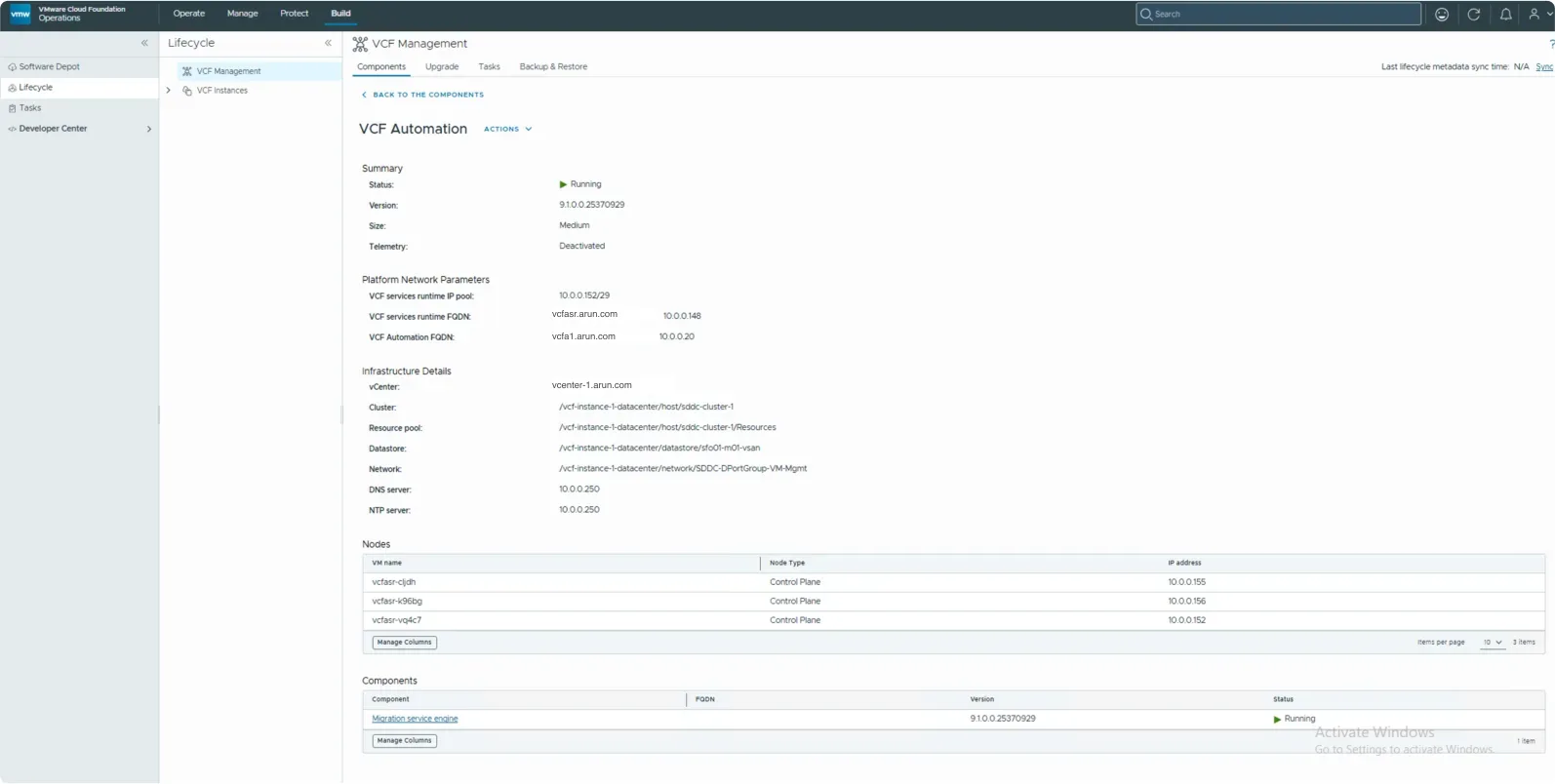
Post-upgrade topology
You are left with three VCF Automation nodes running 9.1.0.0, and the 9.0.x nodes shut down. The bootstrap VM created after the runtime template provisioning is destroyed once the three nodes are deployed and ready.
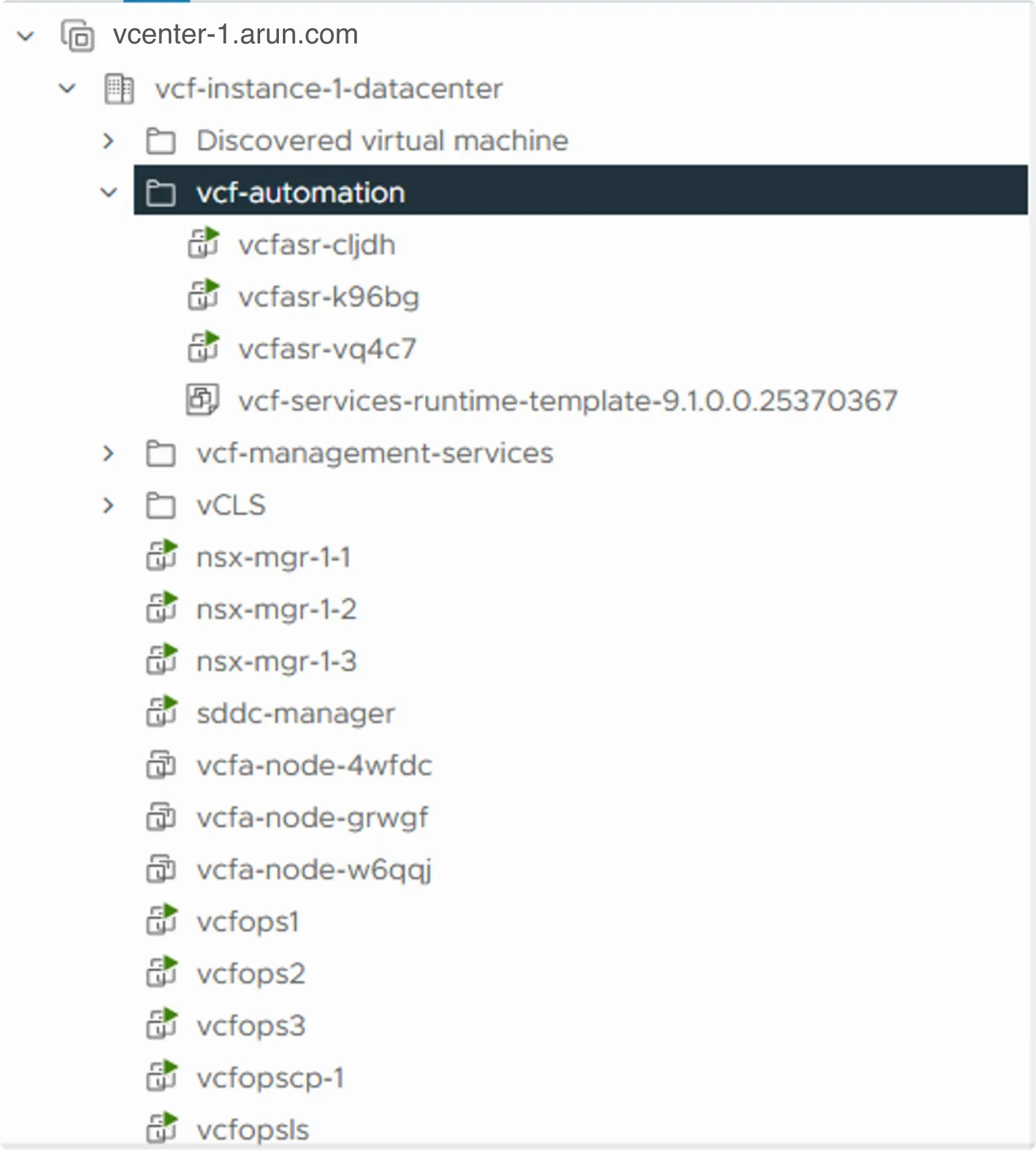
The IPs from the CIDR pool you entered during the Configure phase are assigned to the new nodes. Two of the nodes have more than one IP assigned, and those extras are VIPs:
- 10.0.0.148 comes from
vcfasr.arun.com, the new VCF Services Runtime FQDN for the VCF Automation cluster. - 10.0.0.20 is the VCF Automation FQDN carried over from the 9.0.x cluster and assigned to the new 9.1 cluster.
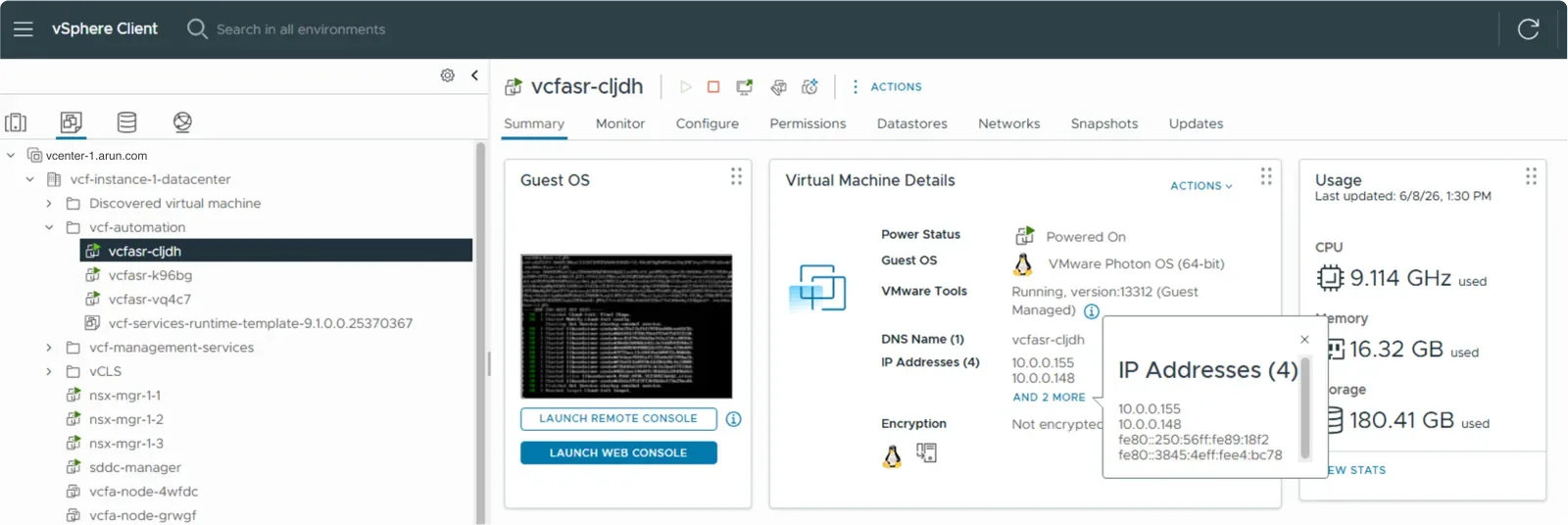
| Node | IP |
|---|---|
vcfasr-cljdh | 10.0.0.155, 10.0.0.148 |
vcfasr-k96bg | 10.0.0.156 |
vcfasr-vq4c7 | 10.0.0.152, 10.0.0.154, 10.0.0.20 |
Never miss a post
New guides on VMware Cloud Foundation, Aria Suite, and infrastructure automation. Follow the blog in your feed reader and new posts show up as soon as they are published.
Using a different reader? Copy the feed URL and add it there.