View Password stored in vRSLCM 8.x locker using API

This blog post explains the procedure on how to review the password of a stored locker object using API method
Assumptions
{{lcmurl}} is vRSLCM FQDN example: https://lcm.domain.example
Authentication
Aquire LCM Auth Token (admin@local)
Request
Method: POSTRequest:  {{lcmurl}}/lcm/authzn/api/login
Authorization: Basic Auth
username: admin@local
password: ******
Response
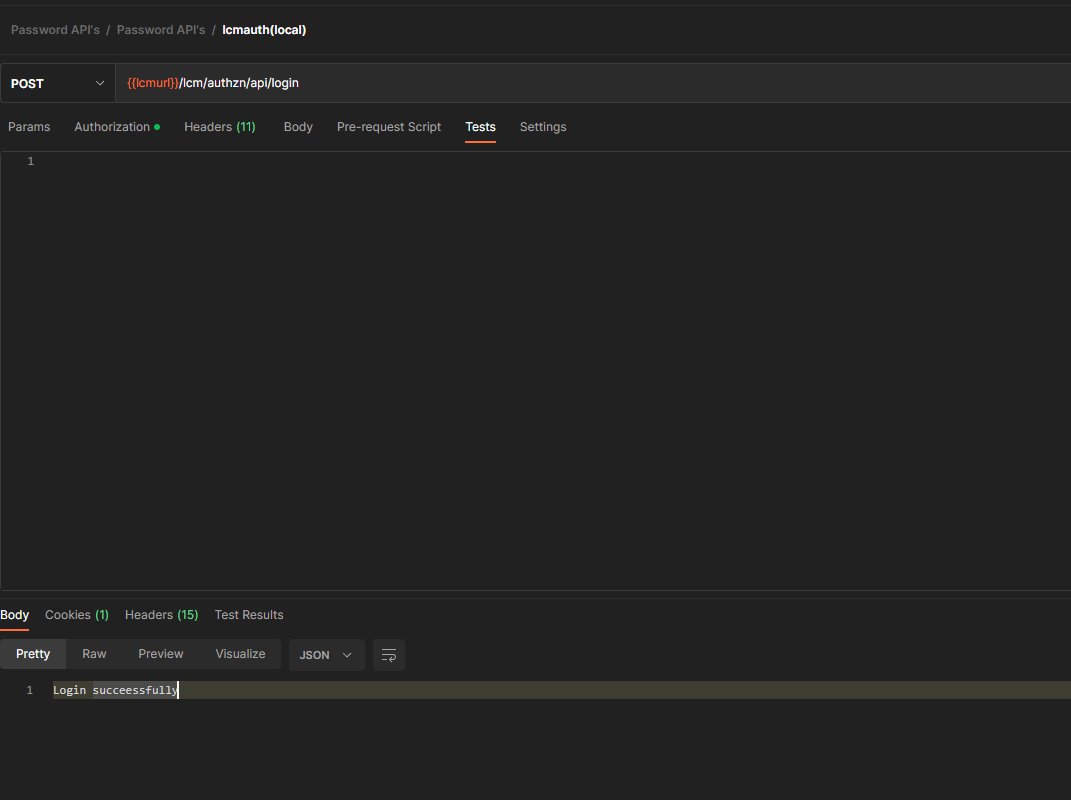
A cookie is created and response code is 200
Fetch Passwords
Request
Method: GET
URL: {{lcmurl}}/lcm/locker/api/v2/passwords
Response
{
    "page": 0,
    "total": 1,
    "passwords": [
        {
            "vmid": "0704babb-5b6c-474f-9d03-c92dffb9ca59",
            "tenant": "default",
            "alias": "0",
            "userName": "",
            "password": "PASSWORD****",
            "passwordDescription": "",
            "createdOn": 1665126022437,
            "lastUpdatedOn": 1665126022437,
            "referenced": false
        }
    ]
}
View Passwords
To view password , one has to enter {{lcmurl}} , then the vmid of the locker object captured in the previous request as shown above.
Also , the body of the post request should contain lcm's root password
Request
Method: POST
URL: {{lcmurl}}/lcm/locker/api/passwords/view/{{locker_vmid}}
Authorization: Inherit from Parent
Body:
{
"rootPassword": "{{lcmrootpassword}}"
}
Response
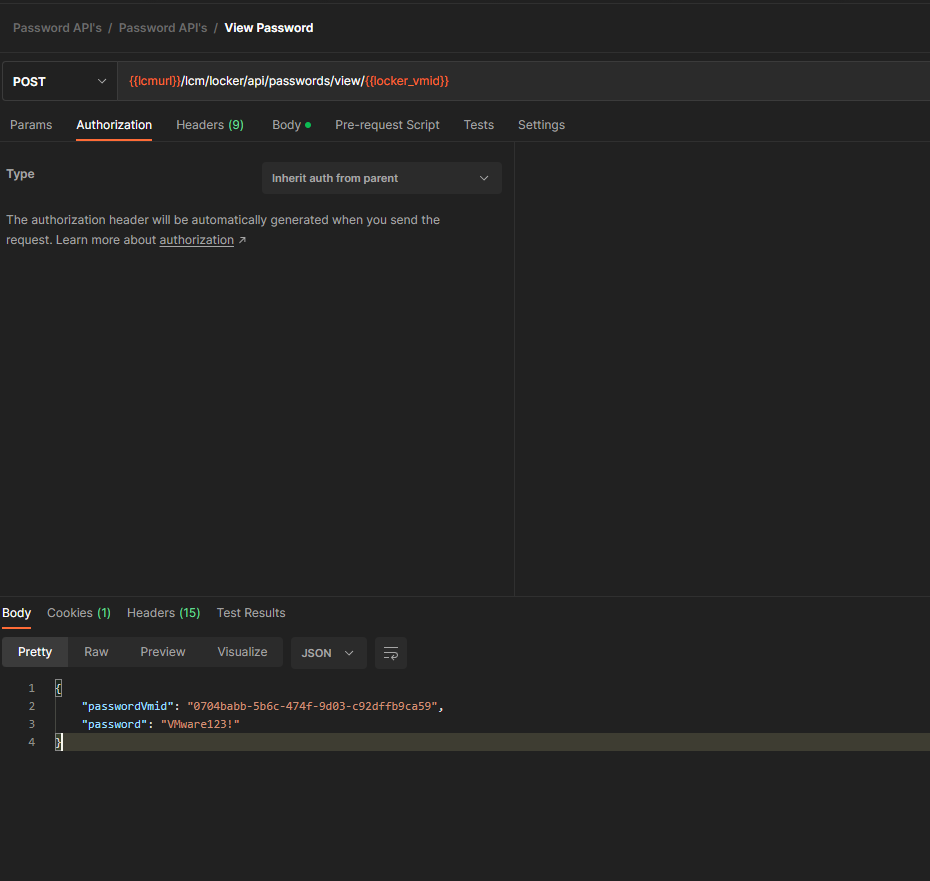
{
    "passwordVmid": "0704babb-5b6c-474f-9d03-c92dffb9ca59",
    "password": "VMware123!"
}
The response would contain the password vmid along with the password in plain text
Note: Password being displayed here is an example
Never miss a post
New guides on VMware Cloud Foundation, Aria Suite, and infrastructure automation. Follow the blog in your feed reader and new posts show up as soon as they are published.
Using a different reader? Copy the feed URL and add it there.