Patching VCF Services Runtime 9.1.0.0 to 9.1.1.0

Next in the sequence after Fleet Lifecycle is VCF Services Runtime. It is the platform the rest of the management components run on, which is why it has to be patched before them. See Patching order for VCF Management Components, 9.1 to 9.1.1 for where it sits.
My environment runs a medium profile, which gives you three control plane nodes and three worker nodes.
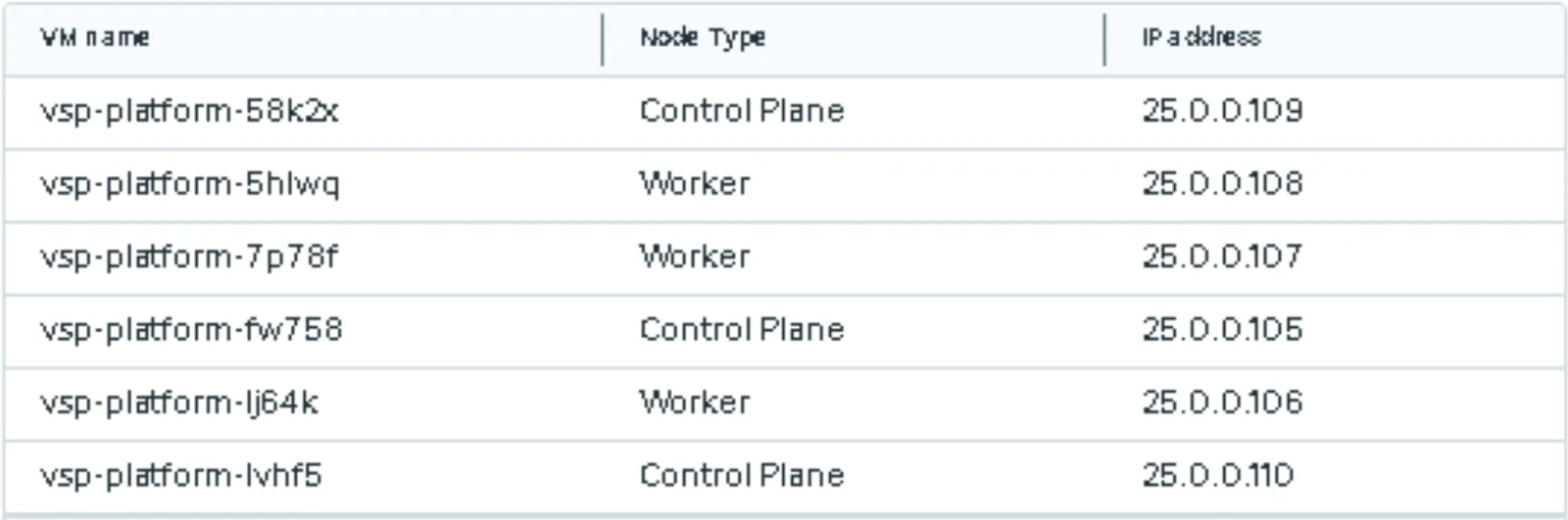
Here are the same six nodes in vCenter, sitting in the vcf-management-services folder next to the runtime template they were built from.
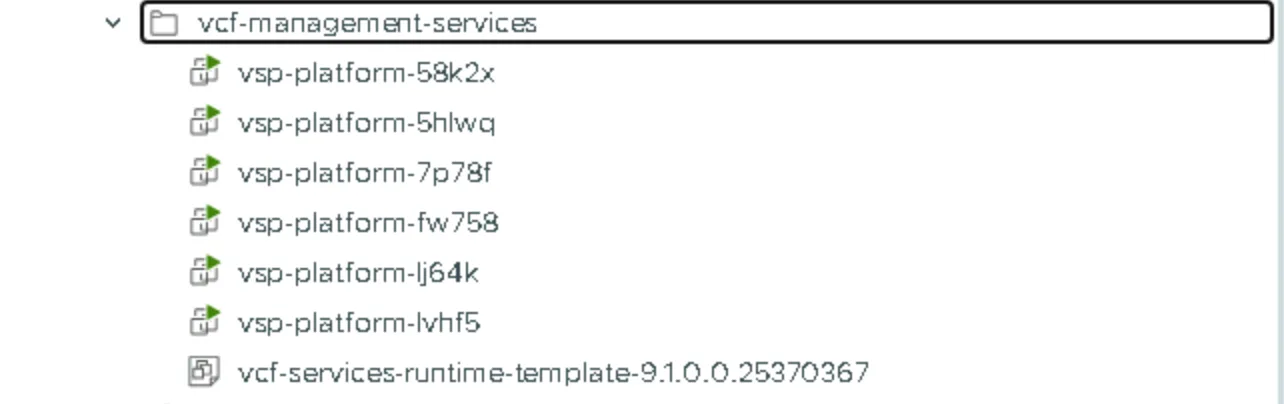
Keep an eye on those node names. They matter later.
Run the prechecks
From the Upgrade tab, run the prechecks for VCF Services Runtime before you patch it. There are three: the component package staged check, the component package staging check, and a Virtual Center precheck. In my run all three passed in about twenty minutes.
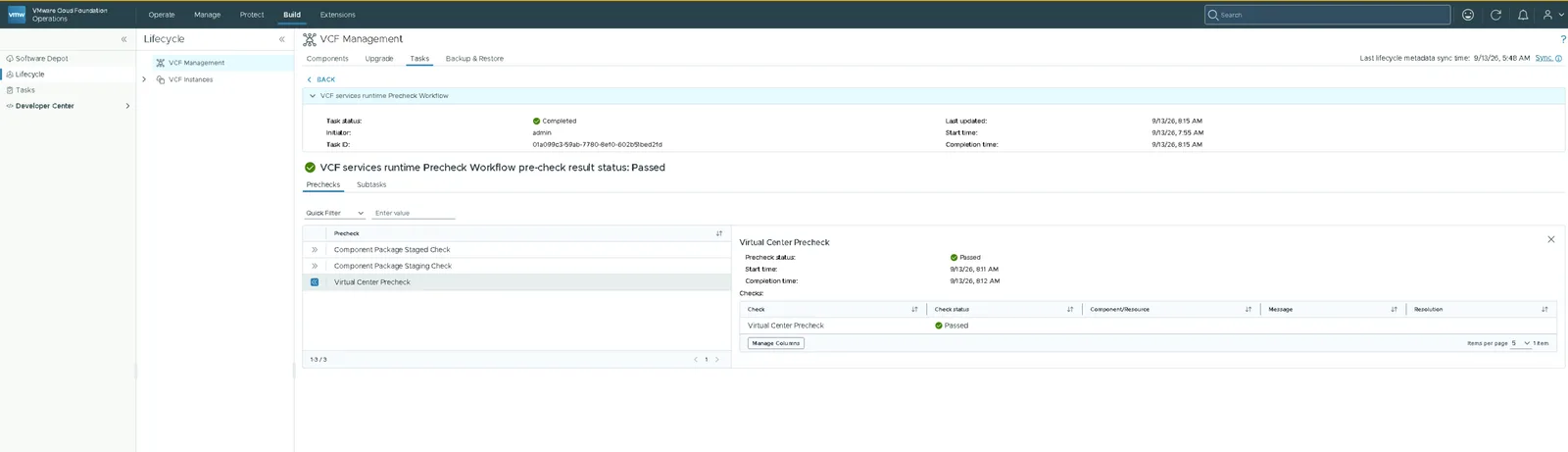
While they run you can follow along from a control plane node. Log in with vmware-system-user, which is the only account that can SSH in, switch to root, and list the precheck pods:
kubectl get pods -A | grep -i precheck
Then take a pod name and read its logs:
kubectl logs <podname> -n vmsp-platform
Every command in this post runs on a control plane node in the same way. If you need a refresher on getting into the namespaces, Upgrading VCF Automation 9.0.x to 9.1.0 walks through it.
Start the patch
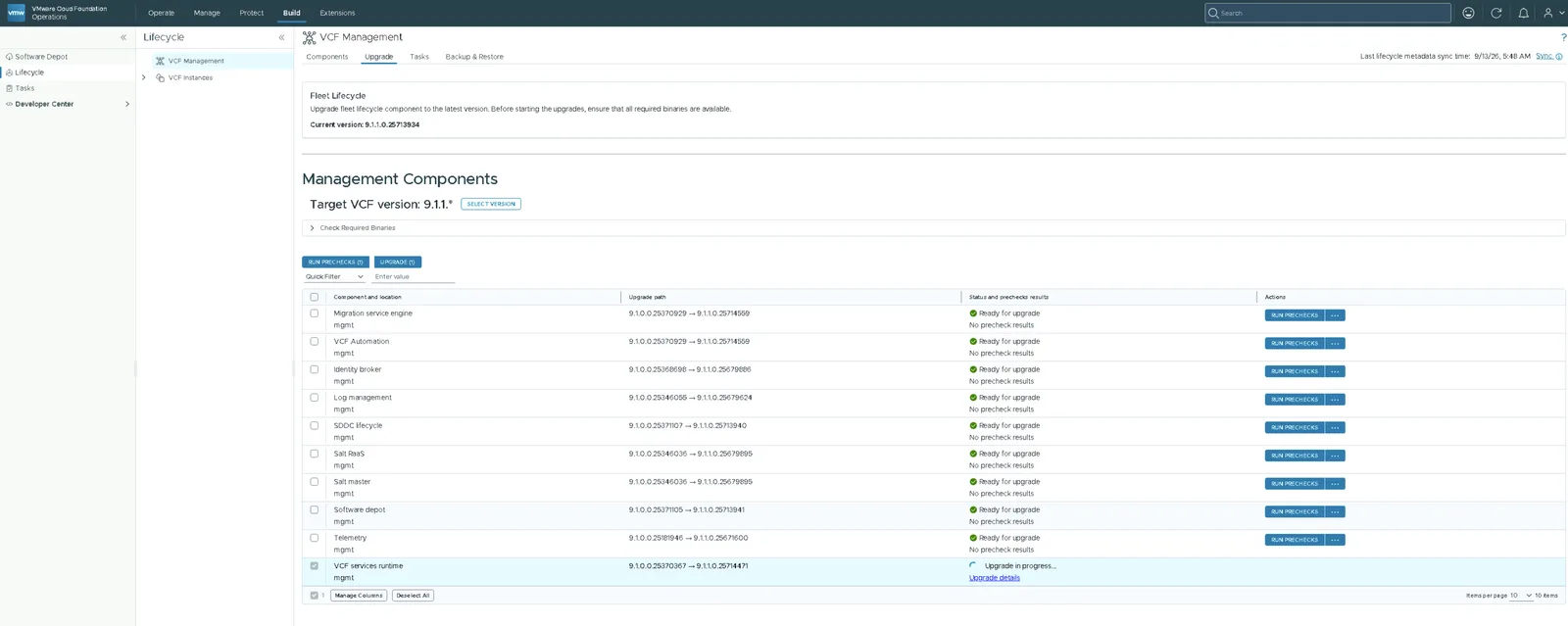
Select the component and click Upgrade. The path in my environment was 9.1.0.0.25370367 to 9.1.1.0.25714471.
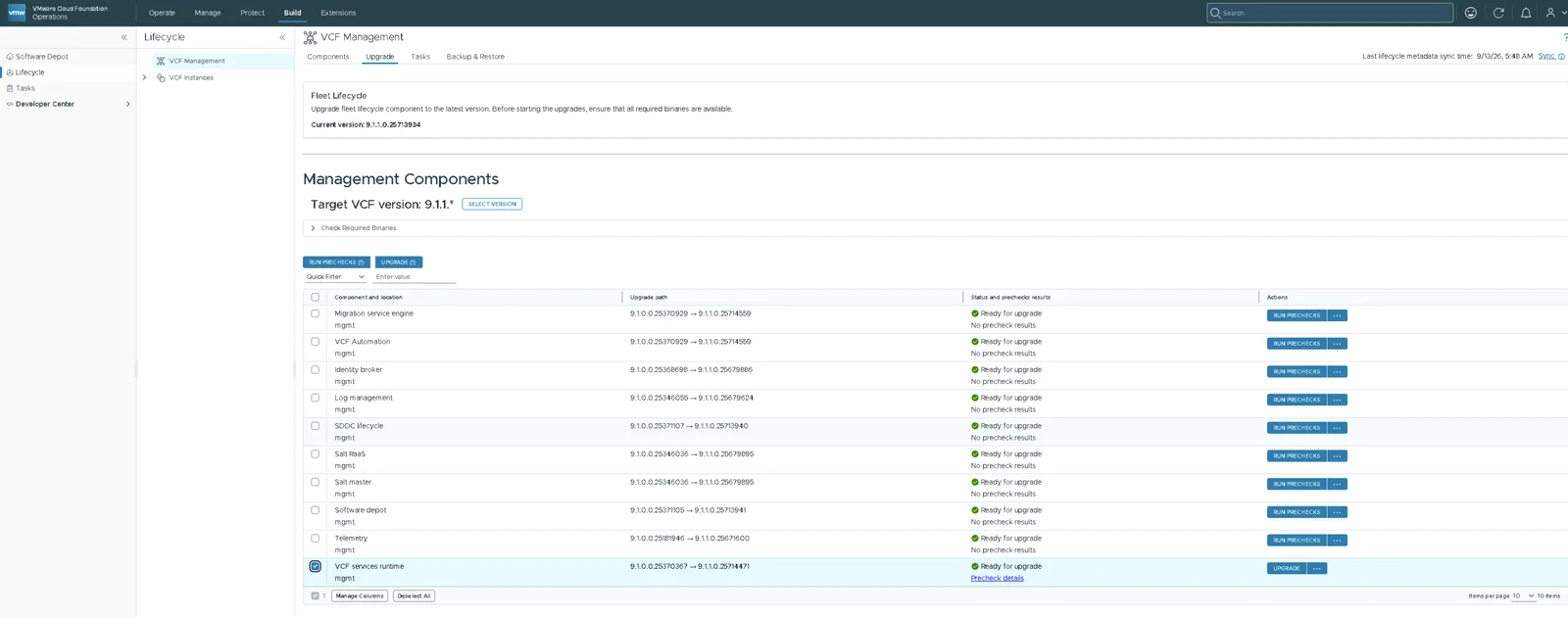
The status changes to Upgrade in progress.
Watching it run
Click Upgrade details to follow the workflow. The first real piece of work is staging the plugin into the runtime.
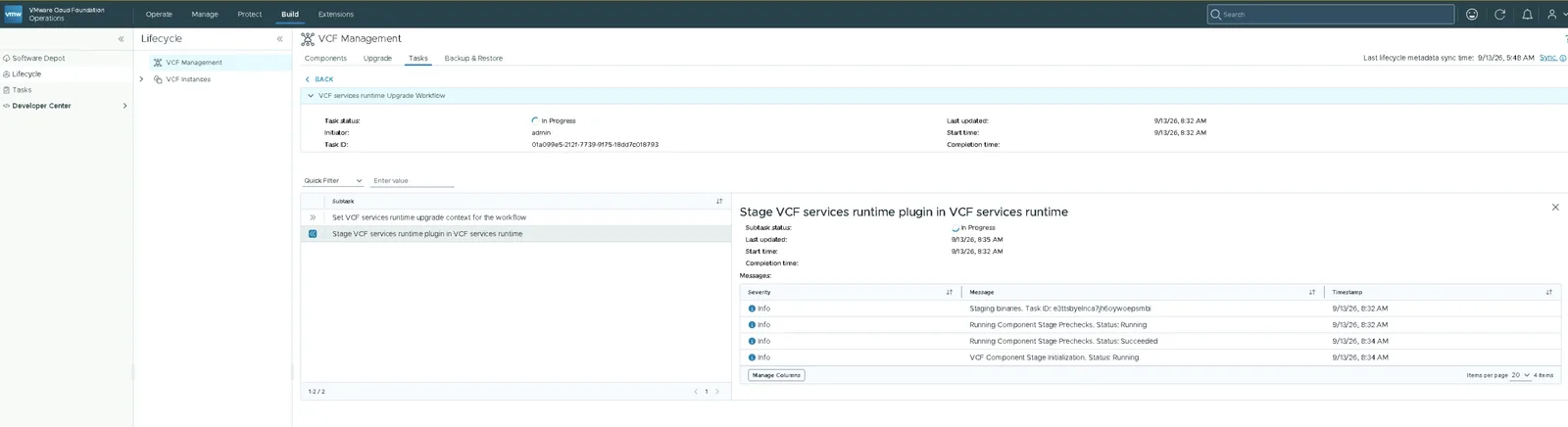
While the staging task is running you can watch it from the control plane node:
kubectl get tasks -n vmsp-platform | grep -i Running
stage-component-e3ttsbyelnca7jh6oywoepsmbi Running task-e3ttsbyelnca7jh6oywoepsmbi staging 2m48s
And to see every workflow on the cluster:
kubectl get workflows -n vmsp-platform
Patch complete
Be ready to leave this alone for a while. Mine took just over five hours end to end, and the perform upgrade step on its own accounted for nearly four of them.
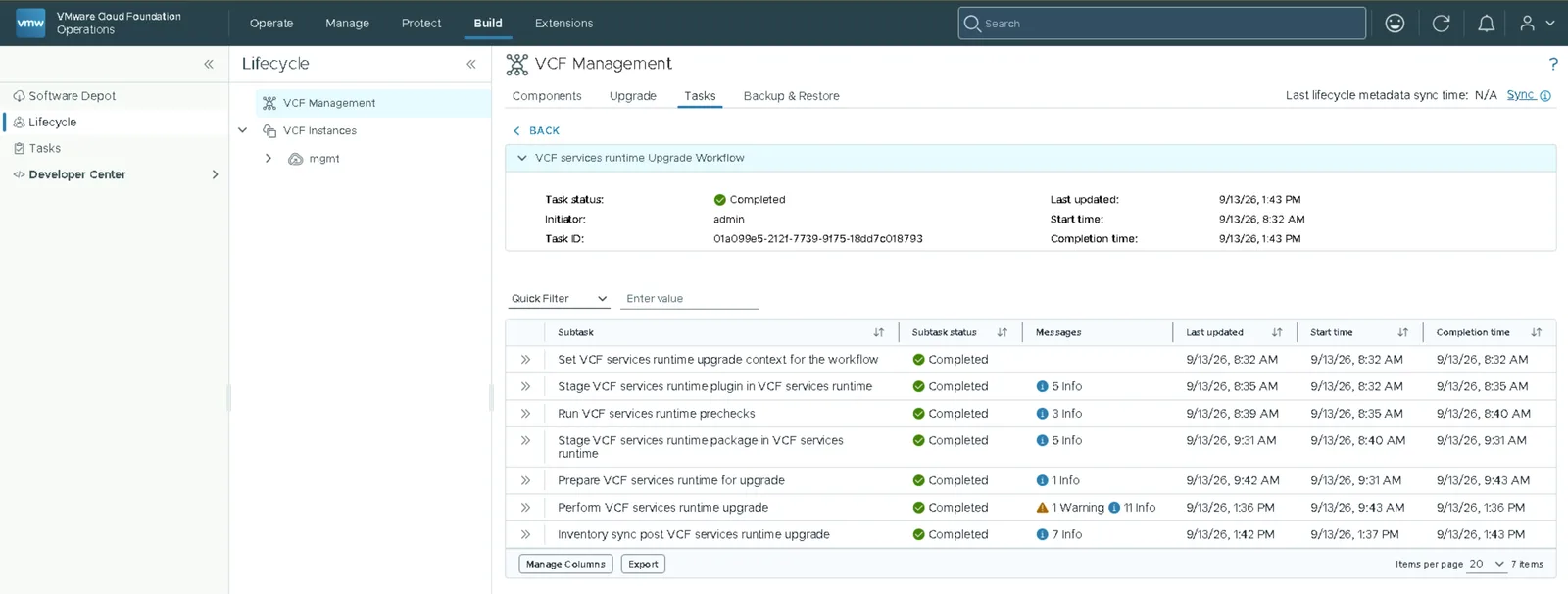
There are seven subtasks in total: setting the upgrade context, staging the plugin, running the prechecks again, staging the package, preparing, performing the patch, and an inventory sync at the end. The perform step came back with one warning alongside its info messages, and still completed.
It is a rolling replacement
Remember those node names from the start? Go and look at the folder again.
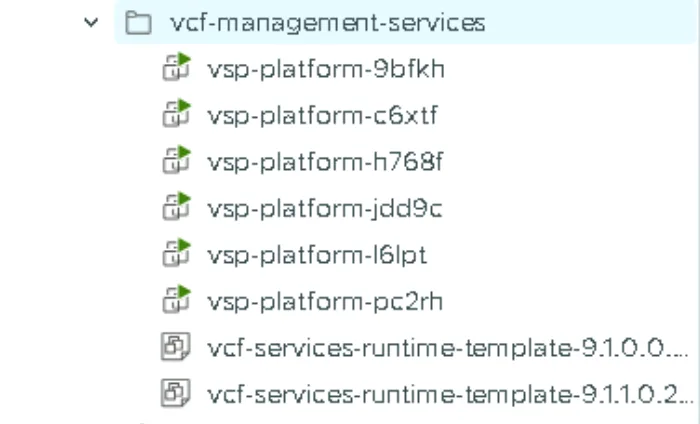
All six nodes have gone, replaced by six new ones with new names. VCF Services Runtime is not patched in place. New nodes are rolled in from the 9.1.1.0 template and the old ones are retired, which is also why both runtime templates now sit in the folder.
So if anything refers to these nodes by name, such as monitoring or saved SSH hosts, expect to update it.
Confirming the new version
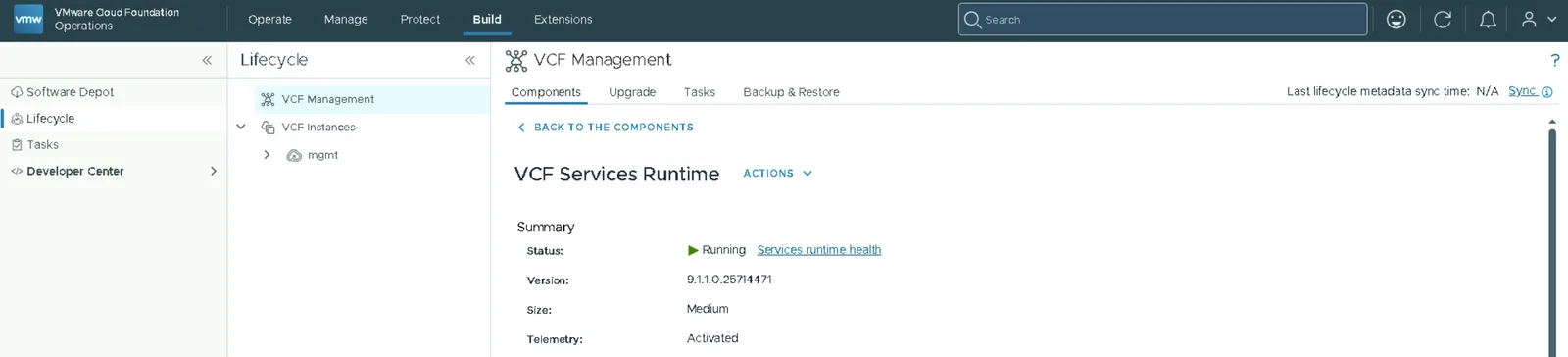
VCF Services Runtime now reports version 9.1.1.0.25714471 with a status of Running.
With the runtime patched, the rest of the management components can follow in no fixed order. See Patching order for VCF Management Components, 9.1 to 9.1.1.
Never miss a post
New guides on VMware Cloud Foundation, Aria Suite, and infrastructure automation. Follow the blog in your feed reader and new posts show up as soon as they are published.
Using a different reader? Copy the feed URL and add it there.